
This document describes the infrared user manual for the INEPRO METERING kWh meter PRO380-S;-Mb;-Mod MID version.
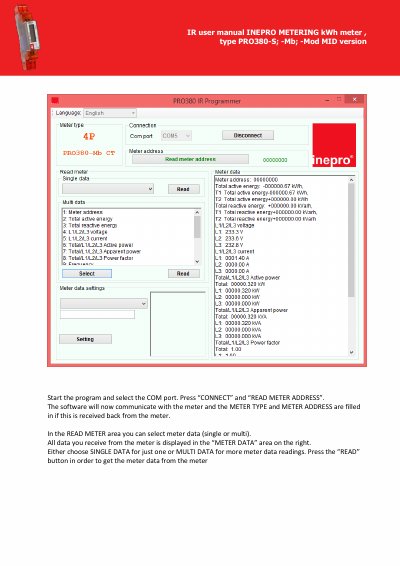
IR user manual for the Inepro Metering PRO 380-S -Mb -Mod MID kWh meter. It describes starting the program, selecting the COM port, pressing CONNECT and READ METER ADDRESS, and reading meter type and address when data is returned. The READ METER area offers SINGLE DATA or MULTI DATA readings, and received values appear in METER DATA.
The METER DATA SETTINGS area has nine selections depending on the meter version. These cover meter address, combination code, S0 output, LCD scrolling time, LCD scrolling pages, M-Bus/Modbus baud rate and ID, backlight settings, and resetting the day counter. The document also lists the available option values and defaults.
| Meter address | 8-digit code |
|---|---|
| Combination code default | 10 |
| S0 output default | 1.000 pulses per kWh |
| LCD scrolling time range | 01 to 30 seconds |
| LCD scrolling time default | 10 seconds |
| M-Bus/Modbus baud rate default | 9,600; options 9,600, 4,800, 2,400, 1,200, 600, 300 |
| M-Bus/Modbus ID | Default 001; settable from 001 to 247 |
| Backlight default | Button Mode; options Always ON, Always OFF, Button Mode |
Start the program, select the COM port, press CONNECT and READ METER ADDRESS, then choose SINGLE DATA or MULTI DATA and press READ.
The default baud rate is 9,600. Other options listed are 9,600, 4,800, 2,400, 1,200, 600 and 300.
Code 10 sets the total to forward minus reverse; it is the factory default.
Use the Reset day counter option to reset the resettable kWh register to zero.