
This guide describes the initial configuration and site installation of the Quasar Gen II CB-6204/CB-6208 Bullet IP camera.
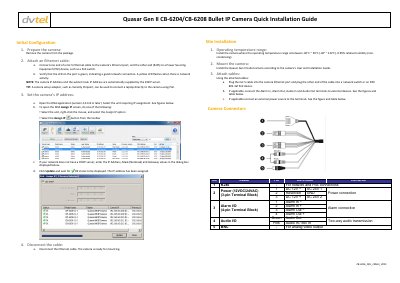
This guide describes initial configuration of the DVTEL Quasar Gen II CB-6204/CB-6208 bullet IP camera, including Ethernet connection, IP address assignment, and disconnection before mounting.
It also covers site installation requirements, camera access and login, ActiveX setup, attaching the camera in Latitude, CB series model variants, and DVTEL contact information.
| Operating temperature range | -40°C to 50°C (-40°F to 122°F) |
|---|---|
| Relative humidity | 0-95% (non-condensing) |
| CB-6204-11-I lens | 3-8mm, F1.4, 96-38° horizontal viewing angle |
| CB-6204-21-I lens | 7-22mm, F1.4, 42-14° horizontal viewing angle |
| CB-6208-11-I lens | 3.5-8mm, F1.4, 116-50° horizontal viewing angle |
| CB-6208-21-I lens | 9-22mm, F1.4, 45-18° horizontal viewing angle |
The default user name is Admin and the default password is 1234.
Install the camera where the operating temperature range is between -40°C and 50°C, with 0-95% relative humidity (non-condensing).
Enter the IP Address, Mask (Netmask), and Gateway values in the dialog box, then click Update and wait for OK status.
Internet Explorer 9, 10, or 11 is used for the ActiveX control and plug-in settings.