
Key facts
- Manuals
- 1
- Languages
- EN
- Last added
- 2023-11-07
Featured DVTEL manuals
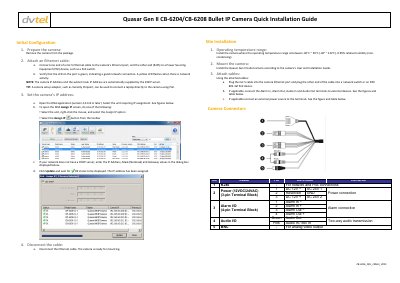
DVTEL Quasar Gen II CB-6204/CB-6208 Bullet IP Camera Quick Installation Guide
This guide describes initial configuration of the DVTEL Quasar Gen II CB-6204/CB-6208 bullet IP camera, including Ethernet connection, IP address assignment, and disconnection before mounting.
It also covers site installation requirements, camera access and login, ActiveX setup, attaching the camera in Latitude, CB series model variants, and DVTEL contact information.
Covers: Initial Configuration · Site Installation · Adjusting and Framing-Up the Camera View · Attach in Latitude · Models in the CB Series · How to Contact DVTEL
Latest DVTEL manuals
DVTEL Quasar Gen II CB-6204/CB-6208 Bullet IP Camera Quick Installation Guide
Installation Guide 3 pages · 1 MB · ENQuick installation guide for DVTEL Quasar Gen II CB-6204/CB-6208 bullet IP cameras, covering initial configuration, site installation, and camera access.
Which document do I need?
Installation Guide
Mounting, wiring and first power-up. Read it before the hardware goes in.
Questions answered in DVTEL manuals
What are the default login credentials?
The default user name is Admin and the default password is 1234.
From: DVTEL Quasar Gen II CB-6204/CB-6208 Bullet IP Camera Quick Installation Guide
What is the operating temperature range?
Install the camera where the operating temperature range is between -40°C and 50°C, with 0-95% relative humidity (non-condensing).
From: DVTEL Quasar Gen II CB-6204/CB-6208 Bullet IP Camera Quick Installation Guide