
This document describes how to use VNC Viewer to connect to HMI 1.
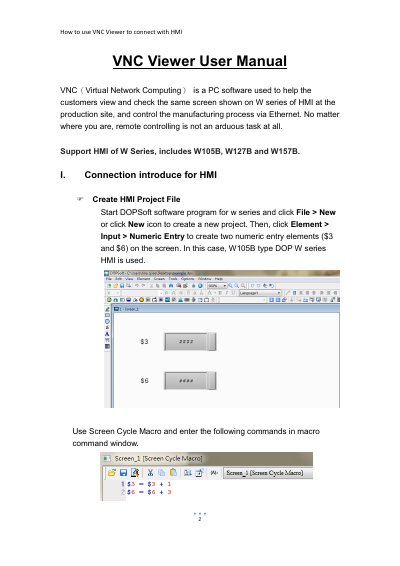
This manual explains how to use VNC Viewer to view and control the screen of a W Series HMI over Ethernet. It covers creating the HMI project, enabling the VNC network application, and installing VNC Viewer.
It also describes connection settings such as the HMI IP address and port, the default password, failed-connection messages, saving connections, closing connections, and full-screen mode.
| Supported HMI models | W105B, W127B, W157B |
|---|---|
| Default VNC password | 12345678 |
| Example connection address | 192.168.123.26:5900 |
| VNC software file | VNC-5.2.0-Windows |
The W Series HMI, including W105B, W127B, and W157B.
The default password is 12345678.
It means the IP address does not exist or the VNC network application is not enabling.
Use the Save Connection function to save the configuration for the next connection.