
PS2020 and PS2021 steam oven quick start guide, including operation process, fault handling, water tank use, menu guide and other contents
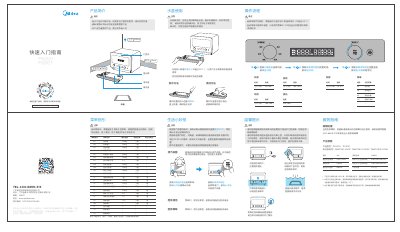
This is the quick start guide (快速入门指南) for the Midea PS2020 and PS2021 desktop steam ovens. It walks through the basic operating steps: turn the function knob to pick a mode, press OK/Start, then use the parameter knob to set time and temperature. Mode ranges are listed for pure steam, steam-bake, preheat, fermentation and baking, and the guide notes that purified water at room temperature (no higher than 40 °C) must be added to the water tank before any steam function is used.
The booklet also explains the automatic menu list (menu 01–23 with suggested weights and shelf positions), water tank filling and cleaning, cavity cleaning and deodorizing, steam sterilization, and what to do when a fault occurs. Product specifications, the service hotline 400-8899-315 and the manufacturer address in Shunde, Foshan, Guangdong are printed at the back. This manual is written in Chinese.
| Capacity | 20 L |
|---|---|
| Rated voltage/frequency | 220 V~ 50 Hz |
| Grill power | 1300 W |
| Maximum steam power | 1800 W |
| Steam-bake power | 1900 W |
| External dimensions (W x D x H) | 420 x 410 x 340 mm |
| Cavity dimensions (W x D x H) | 350 x 300 x 200 mm |
| Net weight | 12.5 kg |
Pure steam can be set from 1 minute to 2 hours at 80–100 °C. Steam-bake and bake run from 1 minute to 2 hours at 100–200 °C.
Call the company's customer service line at 400-8899-315 so a professional can clear the fault.
Room-temperature purified water, no higher than 40 °C, so that scale does not shorten the machine's service life.
It steam-sterilizes tableware and towels, including baby bottles, and is described as reaching a 99.99% sterilization rate.