
This is a Quick Start Guide for Viewsonic NMP580-W Network Media Player. It introduces the package contents, installation steps and global contact information.
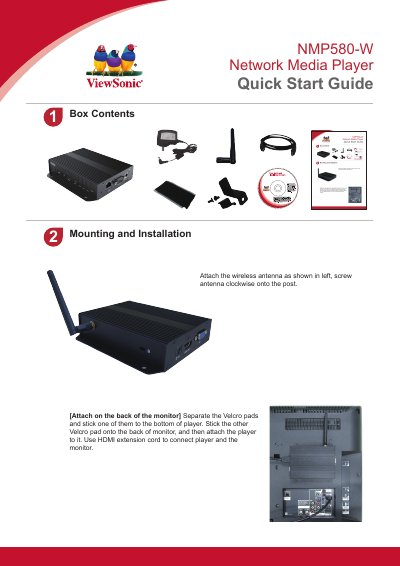
This quick start guide for the ViewSonic NMP580-W network media player covers what comes in the box, how to mount and install the player, its port connections and the initial system setup. It is a short two-page document that relies mostly on illustrations and numbered callouts.
The mounting section shows how to attach the wireless antenna and how to fix the player to the back of a monitor with Velcro pads and an HDMI extension cord. The setup section walks through connecting the AC power adapter, waiting about 60 seconds for boot up, plugging in a USB mouse, and entering the configuration menus for wireless LAN, time/date and time zone, an optional password, and the content service menu. A list of ViewSonic regional support contacts is also included.
| Ports | HDMI IN, HDMI OUT, VGA, S/PDIF, Audio OUT, USB X 3, DC in, RS232, Micro SD card, ADB and Ethernet |
|---|---|
| Boot up time | approximately 60 seconds |
| Security slot | Kensington Lock |
| Wireless | Wireless antenna post for the supplied antenna |
After plugging in the AC power adapter, the player takes about 60 seconds to boot up.
Stick one Velcro pad to the bottom of the player and the other to the back of the monitor, then attach the player and connect it with the HDMI extension cord.
The time zone must be set correctly in the menus or via management software for scheduled playback.
Setting a password in the menus prevents unauthorized changes, and the password is required to enter the setup menu during playback.