
ViewSonic VX2462-H Monitor Quick Start Guide

This quick start guide provides installation instructions, warranty information, and usage guidelines for the ViewSonic VX2462-H monitor.
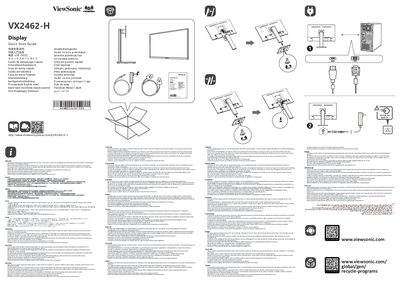

ViewSonic VX2462-H Monitor Quick Start Guide - cover page
Brand
ViewSonic
Category
Monitors
Document type
Quick Start Guide
Language
English
Pages
2
File format
PDF
File size
9.9 MB
Published
13 October, 2026
Updated
13 October, 2026
MD5 checksum
1CAC87531222029B88D9B45B9113B23E

About this manual

This document serves as a quick start guide for the ViewSonic VX2462-H monitor, offering essential instructions for initial setup and usage. It covers connecting the display to external devices using the included video cable and accessories, as well as mounting the monitor on a compatible wall bracket.

What's inside

  • Installation
  • Warranty Information
  • Wall Mount Compatibility
  • Customer Support
  • Included Accessories

Frequently asked questions

What wall mount dimensions are compatible with this monitor?

This monitor can be used with a UL certified wall mount that is 100 mm x 100 mm VESA compatible.

What screws are required for the wall mount installation?

You need four M4 x 10 mm screws to install the monitor on a compatible wall mount.

Where can I find information if the Limited Warranty is not in the packaging?

If the Limited Warranty is not included, you can find it on the ViewSonic website.

Download PDF (9.9 MB)

More ViewSonic Manuals


View all ViewSonic manuals →