
Wolfram Mathematica Student Edition Reference Guide

Introduces how to input letters and symbols in Mathematica, and how to use Sum and Table commands to compute and generate mathematical sequences.
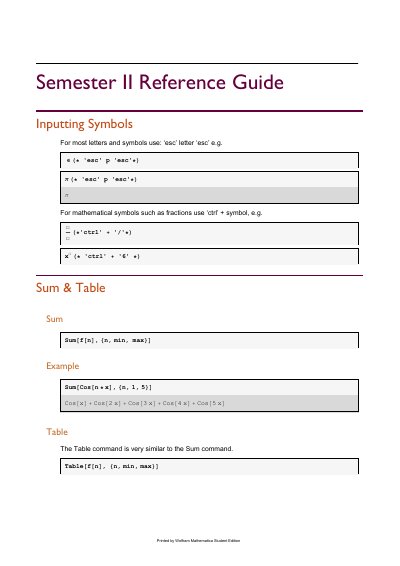

Wolfram Mathematica Student Edition Reference Guide - cover page
Brand
Wolfram
Category
Educational software
Document type
Other
Language
English
Pages
5
File format
PDF
File size
114 KB
Published
03 November, 2023
Updated
03 November, 2023
MD5 checksum
9D3C133A9899F9DEE63572E5E7D47D36

About this manual

This document is a Semester II reference guide for Mathematica, printed by Wolfram Mathematica Student Edition. It explains how to input letters and symbols and provides examples for core Mathematica commands.

Topics include Sum and Table functions, alternative Table forms, piecewise functions, Simplify with assumptions, ListPlot, FindRoot, and ReplaceAll for transforming rules into values.

What's inside

  • Inputting Symbols
  • Sum & Table
  • Sum
  • Table
  • Alternative form of Table
  • Piecewise Functions
  • Simplify
  • ListPlot
  • FindRoot
  • ReplaceAll

Frequently asked questions

How do you input most letters and symbols in Mathematica?

Use ‘esc’ followed by the letter and then ‘esc’ again, for example ‘esc’ p ‘esc’ for π.

What does the ReplaceAll command do?

It changes an instruction of the form {x->3} into the value 3.

How is a piecewise function entered in Mathematica?

Use Piecewise with a list of condition-value pairs followed by a default value.

Download PDF (114 KB)

More Wolfram Manuals


View all Wolfram manuals →