
Step-by-step instructions for downloading, opening, and running the Wolfram LEP-T12-2 CDF simulation file using the Wolfram CDF Player.
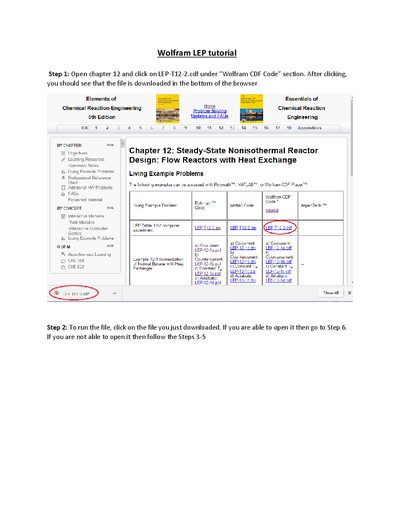
This document provides a tutorial for the Wolfram LEP-T12-2 CDF file. It guides users through downloading the file from the Wolfram CDF Code section and launching it using the Wolfram CDF Player application found in the Programs menu.
Click on the downloaded file to open it. If it does not open automatically, use the Wolfram CDF Player to select and open the file.
You can either close and reopen the program, or click the "+" button on the top right corner of the graph and choose "Initial settings".