
This document is the user manual of AT8550™ AllTouch® remote control, which introduces the functions and usage methods of the remote control.
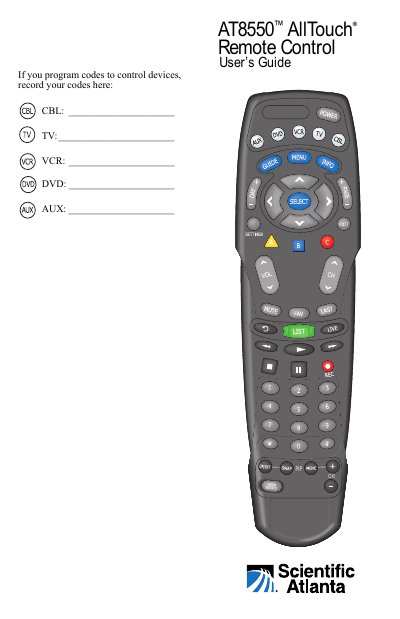
The AT8550 AllTouch universal remote control combines five remotes into one, allowing operation of TV, VCR, DVD, cable box, and receiver. It uses mode keys (CBL, TV, VCR, DVD, AUX) to switch between devices and supports reassignment of AUX and VCR keys for additional device types.
The guide explains initial setup (battery installation, quick reference), programming methods using setup codes or library search, and advanced features such as changing power, volume, and channel control assignments. Code library sizes are provided for each mode, and a code table section is included for reference.
| Battery Type | Two AA alkaline batteries |
|---|---|
| Code Library Size - CBL | 22 codes |
| Code Library Size - TV | 219 codes |
| Code Library Size - DVD | 206 codes |
| Code Library Size - VCR | 206 codes |
| Code Library Size - AUX | 37 codes |
Find the setup code for your device brand, turn on the device, press and hold SELECT and the appropriate mode key until mode keys blink twice, enter the code, then test with POWER or other keys.
Use the code library search (Program Code 991) to cycle through codes until the device powers off, then press SELECT to lock the code.
Yes, the AUX and VCR keys can be reassigned (e.g., AUX to VCR mode) using Program Code 992; the TV and CBL keys cannot be reassigned.
CBL: 22, TV: 219, DVD: 206, VCR: 206, AUX: 37 codes.