
Scientific-Atlanta AT8560 AllTouch Remote Control User's Guide

AT8560™ AllTouch ® Remote Control, Rev A User’s Guide, This user manual introduces the devices that can be controlled by the remote control, and provides methods for programming to control these devices.
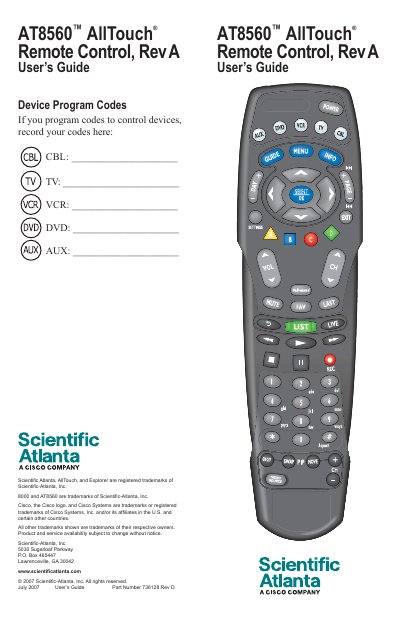

Scientific-Atlanta AT8560 AllTouch Remote Control User's Guide - cover page
Brand
Scientific Atlanta
Category
Other Electronics
Document type
User Manual
Language
English
Pages
27
File format
PDF
File size
1.2 MB
Published
27 October, 2023
Updated
27 October, 2023
MD5 checksum
DBE82B1C108C9A509354C6D7F81248DE

About this manual

The Scientific-Atlanta AT8560 AllTouch Remote Control is a universal remote designed to function as five remotes in one, allowing users to control set-tops, TVs, VCRs, DVD players, and receivers. The device is initially programmed for set-top operation and requires user configuration to control other devices like televisions and audio equipment.

What's inside

  • Important Information About Your Remote
  • How Does a Universal Remote Control Work?
  • Where Do I Start?
  • What Devices Can I Control?
  • Reassign Mode Keys
  • Program the Remote to Control My Devices
  • Change Power Control
  • Code Tables

Frequently asked questions

What devices can the AT8560 remote control?

It can control TVs, VCRs, DVD players, set-tops, and receivers.

Which mode keys are pre-programmed to be inactive?

The TV, VCR, and AUX keys are pre-programmed to be inactive.

What must be done to make the Volume and Mute keys work?

A TV code must be programmed into the remote.

Which mode keys cannot be reassigned?

The TV key and the CBL key cannot be reassigned.

Download PDF (1.2 MB)

More Scientific Atlanta Manuals


View all Scientific Atlanta manuals →