
This is an introduction to the State Bank Foreign Travel Card.
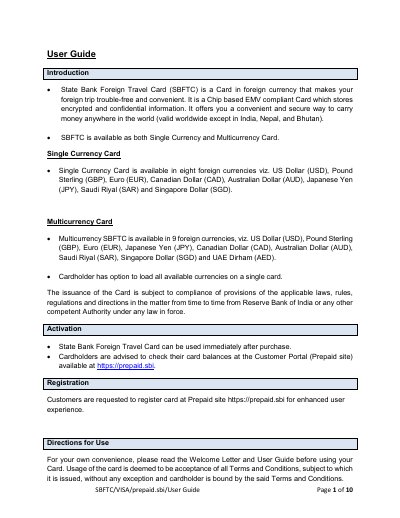
This User Guide describes the State Bank Foreign Travel Card (SBFTC), a chip-based EMV compliant prepaid card in foreign currency that is valid worldwide except in India, Nepal and Bhutan. The card is offered as a Single Currency Card in eight currencies (USD, GBP, EUR, CAD, AUD, JPY, SAR, SGD) and as a Multicurrency Card in nine currencies, which additionally includes the UAE Dirham (AED).
The guide explains how to use the card at Visa ATMs, bank branches overseas, PoS terminals and e-commerce sites, how to generate or change the ATM/PoS PIN via the prepaid.sbi customer portal, ATMs or a branch, how to top up or reload the card, and how to block a lost, misplaced or stolen card by toll-free number, customer portal, e-mail or SBI branch. It also covers replacement card charges, add-on cards, the VISA emergency card and viewing the statement of account.
| Single Currency Card currencies | USD, GBP, EUR, CAD, AUD, JPY, SAR, SGD |
|---|---|
| Multicurrency Card currencies | USD, GBP, EUR, JPY, CAD, AUD, SAR, SGD, AED |
| Add-on cards | Maximum 2, chargeable |
| Emergency card (VISA) | Delivered within 48 hours at US$175, no PIN, valid two months, PoS only |
Call the toll-free numbers 18001234 / 1800112211 / 18004253800 (or the paid number +918026599990), block it via the customer portal at https://prepaid.sbi, e-mail [email protected], or visit an SBI branch dealing in SBFTC with a written request.
You can set or reset the PIN on the prepaid.sbi customer portal under "My Task" > "My Task Flow" > "Forgot/Set New PIN", through a two-step process at a State Bank Group ATM, or with assistance at any State Bank Branch.
The usual replacement charge (for example USD 2.00, GBP 1.25, EUR 1.60, JPY 160.00) plus actual courier charges is debited to the card account.
Log in at https://prepaid.sbi to view or download the statement free of charge, or e-mail [email protected] from the e-mail ID recorded in the application form to request the card balance.