
Adobe Media Encoder CC 2017 User Guide

Adobe Media Encoder CC 2017 is a video transcoding software developed by Adobe. It can convert various video formats to other formats.

Adobe Media Encoder CC 2017 User Guide - cover page
Brand
Adobe
Category
Other software
Document type
User Manual
Language
English
Pages
2
File format
PDF
File size
484 KB
Published
02 November, 2023
Updated
02 November, 2023
MD5 checksum
F8B231ACCCF84C302AA653574AD7BEE0

About this manual

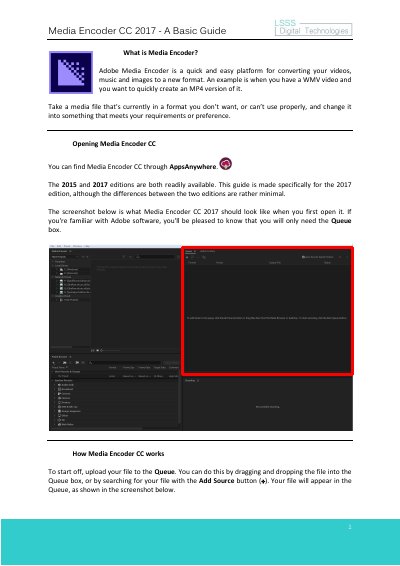
Adobe Media Encoder CC 2017 is a platform designed for quickly converting videos, music, and images to new formats. Users can access the software via AppsAnywhere, where the 2017 edition is readily available alongside the 2015 edition. The interface primarily utilizes a Queue box for managing file operations.

What's inside

  • What is Media Encoder
  • Opening Media Encoder CC
  • How Media Encoder CC works
  • Upload your file to the Queue
  • Output options
  • Start Queue button
  • File conversion notes

Frequently asked questions

How do I open Media Encoder CC?

You can find Media Encoder CC through AppsAnywhere.

How do I upload a file to the Queue?

You can upload a file by dragging and dropping it into the Queue box or by searching for your file with the Add Source button.

What happens to the original file after conversion?

Your original file will not be deleted after the new video is rendered.

Download PDF (484 KB)

More Adobe Manuals


View all Adobe manuals →