
This is a manual for MacComm OCX Control, which mainly introduces the usage methods, programming guides and interface references of the product.
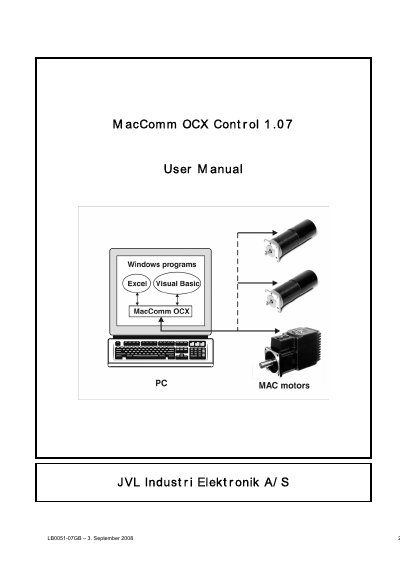
The MacComm OCX Control 1.07 User Manual from JVL Industri Elektronik A/S describes an ActiveX component, previously called an OLE control, that provides an interface to MAC motors from various Windows applications. It explains that COM port settings such as baud rate, start bits, stop bits, databits, parity, CTS and RTS are handled automatically, so the user only specifies the COM port and the addresses of the connected MAC motors.
The manual contains a programming guide, an interface reference for properties and methods, and appendices. Version 1.07 adds support for the QuickStep family of stepper motor controllers and integrated steppers, including the SMC75, MIS231, MIS232 and MIS234, through the SetMotorType and GetMotorType methods. The appendices cover installation, adding the OCX to Visual Basic 6, Visual C++ 6, Visual .NET, Borland C++ Builder 6.0 and LabVIEW 7.0, motor type codes, parameter conversion factors and custom errors.
| Version | 1.07 |
|---|---|
| Component type | ActiveX component (previously called OLE control) |
| Supported development environments | MS Excel, MS Visual Studio, Borland C++ Builder, Borland Delphi, LabView |
| COM port settings handled automatically | baud rate, start bits, stop bits, databits, parity, CTS, RTS |
| Broadcast address | 255 |
It can be used with any development environment that supports ActiveX components, including MS Excel, MS Visual Studio, Borland C++ Builder, Borland Delphi and LabVIEW.
No. These settings are handled automatically by the OCX; you only need to specify the COM port and the addresses of the MAC motors.
Version 1.07 adds support for the QuickStep family of stepper motor controllers and integrated steppers, with the SetMotorType and GetMotorType methods.
Address 255 is a broadcast address; the MAC motor reacts regardless of its configured address.