
Litter-Robot is an automatic litter box. You can get detailed guidance information by scanning the QR code, including user manual, installation manual, accessory installation manual
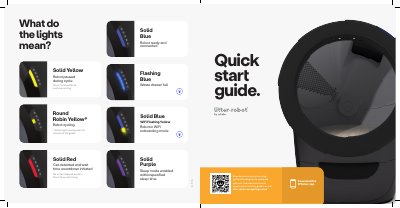
This quick start guide covers initial setup of the Litter-Robot LR4-8010-0a, including placement, powering on, adding litter, and downloading the Whisker app. It also explains the control panel buttons and the meaning of the status lights.
The guide notes that the unit should be placed indoors on a firm, level surface, must not touch walls, and should use clumping litter or small litter beads and crystals. During the initial clean cycle, the cat sensor weight scale is disabled to ensure proper calibration.
| Litter fill amount | 8-10 lbs (3.6-4.5 kg) |
|---|---|
| Litter type | Clumping litter or litter beads and crystals small enough to pass through the screen |
| Placement | Indoors on a firm, level surface; must not touch walls |
The robot is paused during a cycle; press the Cycle button to continue cycling.
The robot is cycling.
Use clumping litter or litter beads and crystals that are small enough to pass through the screen.
Add litter until it meets the raised MAX fill line when spread flat, about 8-10 lbs (3.6-4.5 kg).