
Key facts
- Manuals
- 1
- Languages
- EN
- Last added
- 2023-10-31
Featured Litter-Robot manuals
Litter-Robot LR4-8010-0a Quick Start Guide
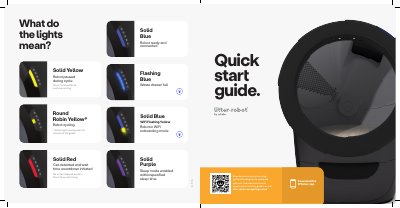
This quick start guide covers initial setup of the Litter-Robot LR4-8010-0a, including placement, powering on, adding litter, and downloading the Whisker app. It also explains the control panel buttons and the meaning of the status lights.
The guide notes that the unit should be placed indoors on a firm, level surface, must not touch walls, and should use clumping litter or small litter beads and crystals. During the initial clean cycle, the cat sensor weight scale is disabled to ensure proper calibration.
Covers: Flashing Blue Quick start guide · What do the lights mean? · Ensure Proper Placement · Power On · Add Litter · Download The App
Latest Litter-Robot manuals
Litter-Robot LR4-8010-0a Quick Start Guide
Quick Start Guide 2 pages · 1.2 MB · ENQuick start guide for setting up and using the Litter-Robot LR4-8010-0a automatic litter box.
Which document do I need?
Quick Start Guide
The shortest path to a working setup, usually only a few pages.
Questions answered in Litter-Robot manuals
What does a solid yellow light mean?
The robot is paused during a cycle; press the Cycle button to continue cycling.
What does a flashing yellow light mean?
The robot is cycling.