
This smart wireless doorbell uses micro-power chips and smart power-saving technologies and digital processing technologies combined with smart security home host, visitors can press the doorbell, and the home will be reminded and notified by the phone. The product has a good anti-interference false alarm characteristic and is easy to install.
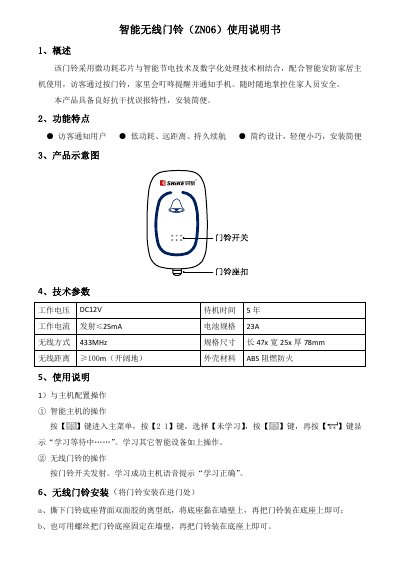
The ZN06 intelligent wireless doorbell utilizes low-power chip technology and digital processing to notify users when visitors press the button. It is designed to work with a smart security host, sending alerts to mobile phones and providing audible reminders inside the home. The device features a simple design, easy installation, and good anti-interference capabilities. This manual is written in Chinese.
| Operating Voltage | DC12V |
|---|---|
| Standby Time | 5 years |
| Wireless Frequency | 433MHz |
| Wireless Distance | ≥100m (open area) |
| Dimensions | 47x25x78mm |
| Battery Specification | 23A |
Press the button on the smart host to enter the main menu, select 'Unlearned', and press the button again to display 'Learning in progress...'. Then press the doorbell switch to transmit.
Press the doorbell base buckle and push the doorbell up to remove it. Use a screwdriver to unscrew the back screws, open the cover, replace the battery with the correct polarity, and reassemble.