
This manual introduces the base station's highlights and usage instructions
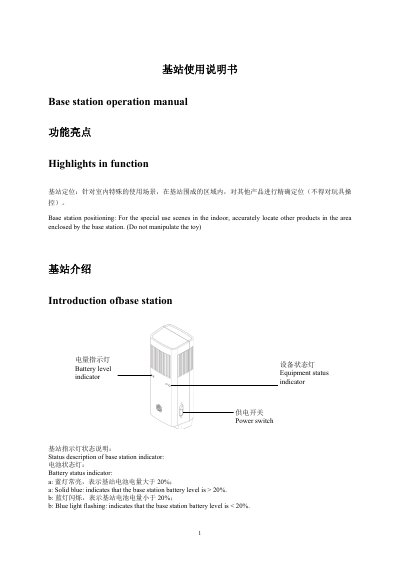
This operation manual, published by Shenzhen HighGreat Innovation Technology Development Co., Ltd., describes a base station used for indoor positioning, where other products are located inside the area enclosed by the base stations. It explains the battery status indicator, the equipment status indicator (which only works on the No.0 main base station), the power switch and the battery level indicator, and it lists what each light color and flashing pattern means.
The manual then covers how a mobile terminal is connected to the base station through a range extender and how the numbered base stations should be arranged clockwise in a rectangle. It also describes charging the battery with the charging base, battery and power adapter, and closes with battery safety warnings, the disclaimer terms and the FCC and 1999/5/EC compliance statement. This manual is written in Chinese.
| Recommended side length of the rectangle layout | 2.5 m to 20 m |
|---|---|
| Recommended installation height of base stations | 1.5 m |
| Battery level shown by solid blue light | Greater than 20% |
| High-temperature use limit | Do not use above 40 °C |
| Low-temperature use limit | Do not use below 0 °C |
The mobile terminal is connected to the base station by a range extender (wireless connection).
Wait about 1 minute until the base station is stable before connecting; if connection fails, try restarting the main base station.
A slow flashing red light means the base station hardware is malfunctioning. This indicator only works on the No.0 main base station.
Place the numbered base stations clockwise in a rectangle, with recommended side length of 2.5 m to 20 m and an installation height of 1.5 m.