
This manual is the instruction manual for Gold Note CD-1000 CD player, which mainly introduces the product's features, functions, usage methods and precautions.
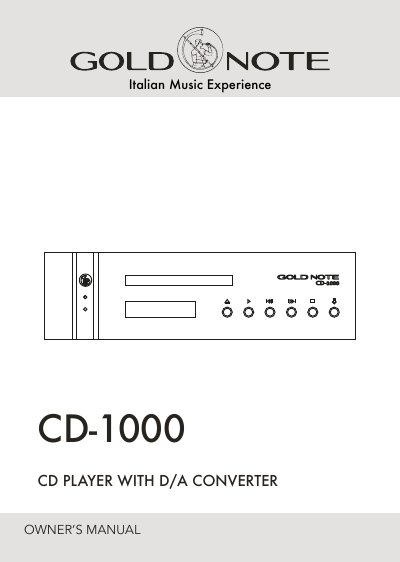
The Gold Note CD-1000 is described in this owner's manual as a CD player with an integrated D/A converter. The manual lists a 24bit/192kHz D/A converter, S/PDIF coaxial and TOS optical digital inputs, an optional USB input, a JPL2580 drawer transport, a Dual-Mono power supply, and an output stage using a PCM1796 D/A converter. Optional external units named in the text are the TUBE-1012, TUBE-1006, and PSU-1000.
The document covers important safety information, description and specifications, front and rear panel overviews, display functions, the standard and optional deluxe remote controls, troubleshooting, warranty registration, and service contact information.
| Frequency response | 20Hz-20kHz +/-0.3dB |
|---|---|
| Total Harmonic Distortion | 0.001% max |
| Signal to noise ratio | -128dB |
| Dynamic response | 127dB |
| Output impedance | 50Ohm |
| Digital filter | proprietary Zero-Clock circuit |
| Speed fluctuation | 0.0001% |
| Dimensions | 430mm W | 135mm H | 375mm D |
| Weight | 15Kg |
| Disc compatibility | CD, CD-R |
| Main supply | 100V to 245V ~ 50/60Hz |
| Power consumption | 30W max |
| Standby consumption | < 0,5W |
| Output level (fixed) | 2V RMS RCA and 4V RMS XLR |
| S/PDIF coaxial input | 1 RCA S/PDIF coaxial |
| USB input | optional, asynch 24bit/192kHz |
| Analogue output | stereo RCA and balanced XLR |
Press RPT twice on the remote to repeat all the tracks in a loop.
Make sure the CD is properly inserted with the label or printed side facing up.
Register the unit on the Gold Note website within 15 days from purchase.
Press RPT three times to turn shuffle mode on and play all tracks in a randomised order.