
Zetta Z86 is an intelligent security camera with multiple triggering methods and multi auto on/off modes. The camera comes with a built-in rechargeable battery which can record up to 9 hours continuous video and audio during typical use and standby for more than 25 days when motion triggering (in max battery mode) is enabled. By plugging in a 5V DC adapter (not included), it can achieve max 156 hours circular recording for surveillance on a 256GB microSD card.** Actual life and performance may vary depending on usage and settings; battery not replaceable.
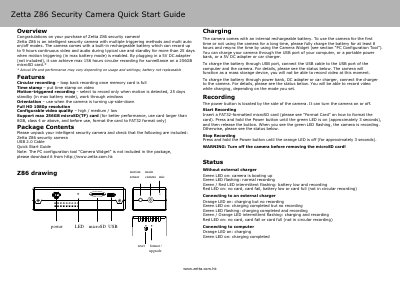
Zetta Z86 is an intelligent security camera with multiple triggering methods and auto on/off modes. It has a built-in rechargeable battery and can record up to 9 hours of continuous video and audio during typical use; with motion triggering enabled in max battery mode, standby is more than 25 days. Using a 5V DC adapter and a 256GB microSD card, it can provide up to 156 hours of circular recording.
The quick start guide covers package contents, charging through USB, power bank, DC adapter or car charger, start/stop recording with the Power button, LED status indications, custom settings via the Camera Widget PC tool, card formatting, computer connection, firmware upgrade and support.
| Video resolution | Full HD 1080p |
|---|---|
| Continuous recording time | Up to 9 hours |
| Motion-trigger standby | More than 25 days in max battery mode |
| Maximum circular recording | Up to 156 hours on a 256GB microSD card with 5V DC adapter |
| microSD card support | Max 256GB microSD(TF), FAT32 format |
| Video quality settings | High / Medium / Low |
| Frame rate | 30 / 15 fps |
| Operating temperature | 32˚ to 113˚F (0˚ to 45˚C) |
| Battery | Built-in rechargeable, not replaceable |
It can record up to 9 hours of continuous video and audio during typical use.
Press and hold the Power button until the green LED is on for about 3 seconds, then release it. A flashing green LED means the camera is recording.
The microSD card must be formatted to FAT32; for cards 64GB or larger, it must be formatted before use.
Download the PC configuration tool Camera Widget from www.zetta.com.hk and follow the software guide to resync the time.