
This manual is about the DP-1 product user manual. This document mainly introduces product safety precautions, installation precautions, cleaning and maintenance precautions, and usage instructions.
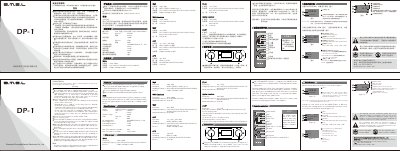
The SMSL DP-1 is a high resolution digital music player from Shenzhen ShuangMuSanLin Electronics (SMSL). It uses a three-core digital audio processor (a 32-bit RISC processor plus dual DSP units) and an AKM AK4452 decoding chip, and it decodes music up to 24bit/192kHz. Music can be played from a USB flash drive, an SD card or an optical input, and the player includes SMSL's SDB (SMSL Dynamic Bass) sound effect.
The manual gives bilingual safety notes and product features, then explains the controls: a long press of the knob powers the unit on or off, a short press mutes it, and rotating the knob changes volume. It describes the menu (input, display, play mode, EQ mode, tone, reset), the playback screen, the remote control, which has A/B/C states and only works in B state, the display screen-saver settings, the USB firmware update procedure and the technical specifications, including the supported file formats. This manual is written in Chinese.
| DAC chip | AKM AK4452 |
|---|---|
| Audio processor | Three-core: 32-bit RISC processor + dual DSP digital audio processing units |
| Inputs | USB (U disk) / SD card / optical, up to 24bit/192kHz |
| THD+N | DAC out 0.0008%; headphone out 0.003% |
| Dynamic range | 109dB |
| Signal-to-noise ratio | DAC out 97dB; headphone out 88dB |
| Headphone output power | 103mW @ THD+N=0.1%, 32Ω |
| DAC output level | 2Vrms |
| Power consumption | 1.62W |
| Standby power | 0.09W |
| Maximum tracks scanned | 1000 |
| Maximum folder scan depth | 3 levels |
Long-press the knob on the left to enter the menu; rotate it to select a menu item, short-press to confirm, and long-press again to return to the previous menu.
The inputs are USB (U disk), SD card and optical, and they support up to 24bit/192kHz.
SDB is SMSL Dynamic Bass, a patented sound effect that raises sound reproduction by adjusting treble and bass dynamically according to the current music signal.
Put the rom.upd firmware file in the root directory of the USB drive, power the player on, and press both A and B buttons when the logo appears until NO USB is shown; inserting the USB drive then starts the update, which is finished at 100%.