
DAP professional audio processor is a professional audio processor that can realize a variety of DSP functions. This series of products integrates compressor, limiter, crossover, delay, equalizer, and mixing matrix. It can be quickly debugged and monitored through the exquisite and intuitive Mconsole software, providing a broad operating space for the construction and operation of professional audio amplification systems.
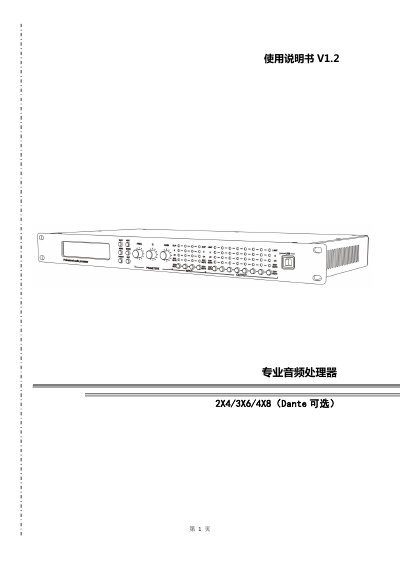
The DAP 2X4/3X6/4X8 is a professional speaker processor for DSP functions including compression, limiting, crossover, delay, equalization, and mixing matrix. The manual describes the front and rear panels, LCD menus, control keys, input/output edit and mute functions, and optional Dante network audio interfaces.
It explains installing and running the Mconsole device management software on Windows 7/8/10 with .NET Framework 4.0, describes the software interface, and covers channel name management, channel copy, preset archive operations, and firmware upgrade. This manual is written in Chinese.
| DSP chip | ADI SHARC 21489 |
|---|---|
| Sampling rate | 96 kHz |
| Audio system latency | 2.8 ms |
| Input channels | 4 balanced inputs, line level |
| Output channels | 8 balanced outputs, line level |
| Input impedance | 22 kΩ |
| Maximum input level | 16 dBu/Line |
| Output impedance | 150 Ω |
| Frequency response | 20 Hz-40 kHz (±0.5 dB)/Line |
| Signal-to-noise ratio | 108 dB (@16 dBu, 1 kHz, A-wt)/Line |
| Power supply | AC90V---264V 50/60 Hz |
| Dimensions | 483*226*45 mm |
The DAP processor is controlled with the Mconsole device management software, which can store configuration parameters on the machine and computer.
Mconsole runs on Windows 7, 8, or 10 (x86/x64) with the Microsoft .NET Framework 4.0 runtime.
When the safety lock icon is shown, long-press ENTER for 5 seconds to unlock the keys and knob.
In Mconsole, open System > Firmware Upgrade, select the upgrade file, and click Start Upgrade; the device restarts after completion.