
FR8200 Quick Use Manual introduces the use of FR8200 products, including installation and removal
This quick use manual is for the Nanjing Huatai Automation FR8200 EtherCAT adapter module. It is intended for readers with certain engineering experience to help them get started quickly, and it refers readers to the user manual for detailed descriptions of each module.
The guide covers installing and removing modules on a DIN rail, terminal and power wiring, connecting the system and PLC through the dual-port RJ45 interface, configuring the device in TwinCAT and other EtherCAT master software, and the meanings of the PWR, SYS, RUN, and ERR indicator lights. This manual is written in Chinese.
| System Power Supply | 220V to 24V power module |
|---|---|
| Recommended Wire | 14AMG |
| Ethernet Connector | Dual-port RJ45 |
| External Fuse for Adapter Field Voltage Component | 5A |
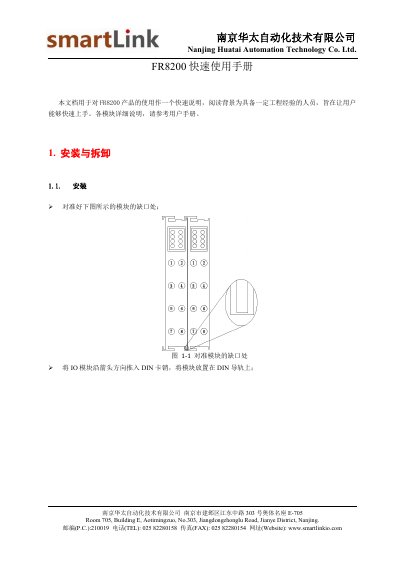
Align the notch on the module, push the I/O module in the arrow direction into the DIN clip, and place it on the DIN rail.
Remove all signal cables or power cables of the module first, then pull the clip in the arrow direction and take the module down.
Data enters the EtherCAT slave controller through port IN, and port OUT outputs data from the controller, so the master station network card connects to port IN.
PWR is the system power indicator. When it is green and on, the power is normal.