
Key facts
- Manuals
- 1
- Languages
- ZH
- Last added
- 2023-10-30
Featured Nanjing Huatai Automation manuals
Nanjing Huatai Automation FR8200 EtherCAT Adapter Quick Use Manual
This quick use manual is for the Nanjing Huatai Automation FR8200 EtherCAT adapter module. It is intended for readers with certain engineering experience to help them get started quickly, and it refers readers to the user manual for detailed descriptions of each module.
The guide covers installing and removing modules on a DIN rail, terminal and power wiring, connecting the system and PLC through the dual-port RJ45 interface, configuring the device in TwinCAT and other EtherCAT master software, and the meanings of the PWR, SYS, RUN, and ERR indicator lights. This manual is written in Chinese.
Covers: Installation and Removal · Wiring Instructions · Terminal Wiring · Power Wiring · System Common Terminal Power Wiring · System and PLC Wiring
Latest Nanjing Huatai Automation manuals
Nanjing Huatai Automation FR8200 EtherCAT Adapter Quick Use Manual
Quick Start Guide 30 pages · 1.8 MB · ZHQuick guide for the Nanjing Huatai Automation FR8200 EtherCAT adapter, covering installation, wiring, software configuration, and indicator lights.
Which document do I need?
Quick Start Guide
The shortest path to a working setup, usually only a few pages.
Questions answered in Nanjing Huatai Automation manuals
How do I install the FR8200 on a DIN rail?
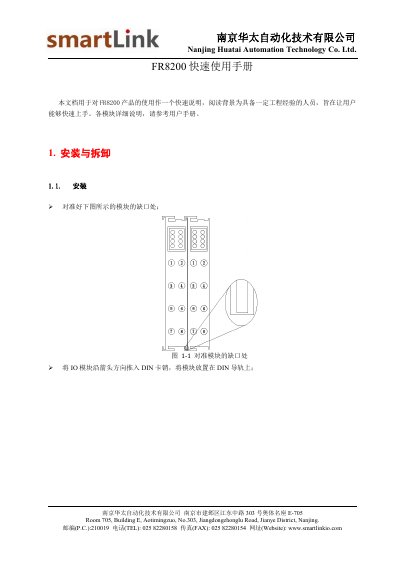
Align the notch on the module, push the I/O module in the arrow direction into the DIN clip, and place it on the DIN rail.
From: Nanjing Huatai Automation FR8200 EtherCAT Adapter Quick Use Manual
What should I do before removing a module?
Remove all signal cables or power cables of the module first, then pull the clip in the arrow direction and take the module down.
From: Nanjing Huatai Automation FR8200 EtherCAT Adapter Quick Use Manual