
M1-1VR4B.0001.570xD is a product of M1 series. The product name is digital display. The product features include: display range -1999-9999, minimum installation depth 25mm-71mm, support 0-20mA, 4-20mA, 0-10VDC three signals, can be adjusted through factory default value or directly on sensor signal, support minimum/maximum storage, support 10 adjustable support points, display flashing when threshold exceeds/undershoots, support tara function, support programming interlock via access code, IP65 protection, support plug-in terminal, support PC based configuration software PM-TOOL with CD and USB adapter.
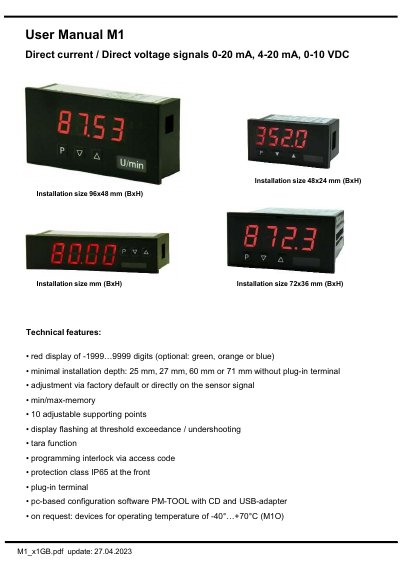
The M1-x1 is a 4-digit panel instrument for direct current and direct voltage signals, with visual limit value monitoring via the display. Configuration is done through three front keys or the optional PM-TOOL PC software, and an integrated programming lock prevents unrequested parameter changes.
The manual covers assembly, electrical connection with connection examples, function description and operation, standard and extended parameterisation, reset to default values, alarms and switching points, technical data, safety advices, and error elimination. Electrical connection is made on the rear side via plug-in terminals.
| Display range | -1999…9999 digits |
|---|---|
| Display color | Red; optional green, orange or blue |
| Installation depth | 25 mm, 27 mm, 60 mm or 71 mm without plug-in terminal |
| Protection class | IP65 at the front |
| Measuring input | 0/4-20 mA, 0-10 VDC |
| Supply voltage | 230 VAC or 24 VDC galv. isolated |
| Housing dimension | 96x48x38 mm (incl. plug-in terminal) |
| PC configuration software | PM-TOOL with CD and USB-adapter |
| Switching points option | No switching point or 2 relay outputs (only M1-6 devices) |
It is designed for direct current signals 0-20 mA and 4-20 mA and direct voltage signals 0-10 VDC.
Press the [P] key in operating mode for 1 second; the display then changes to the menu level with the first menu item.
The front has protection class IP65.
Press [P] for 3 seconds in operating mode, then enter the code using the [▲] [▼] keys plus [P].