
LT501 is a Japanese dual-frequency radio clock produced by Shenzhen Skyplus Technology Co., Ltd., which has 12/24 hour system switching, date and week display, automatic temperature measurement, alarm function, snooze function, backlight function, etc.
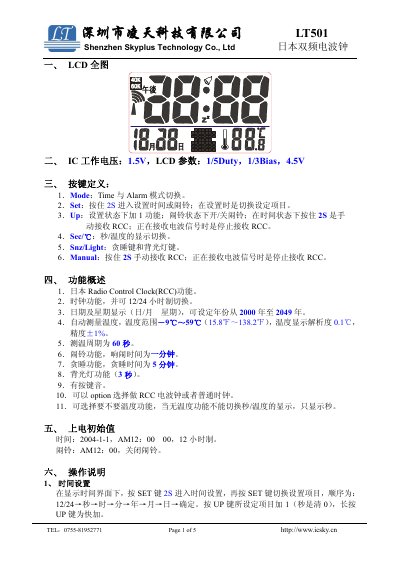
This document provides operating instructions for the LT501 Japanese dual-frequency radio clock. It includes setup for time and alarm, switching between 12/24-hour format, temperature measurement, and manual RCC signal reception. The clock features LCD display, backlight, and key sounds. It can be configured as a standard clock or RCC receiver with optional temperature functionality.
Technical specifications include a 1.5V operating voltage, LCD parameters of 1/5 duty and 1/3 bias, and temperature measurement from -9°C to 59°C with 0.1°C resolution. This manual is written in Chinese.
| Operating Voltage | 1.5V |
|---|---|
| LCD Duty | 1/5 |
| Temperature Range | -9℃~59℃ |
| Temperature Resolution | 0.1℃ |
| Temperature Measurement Cycle | 60 seconds |
| Alarm Duration | 1 minute |
| Snooze Duration | 5 minutes |
| Backlight Duration | 3 seconds |
| Default Time | 2004-1-1, AM12:00 00 |
| Default Alarm | AM12:00, off |
The temperature range is -9°C to 59°C with a resolution of 0.1°C and accuracy of ±1%.
Press the SET key for 2 seconds to enter time setup mode. Use the SET key to switch between settings, and UP key to adjust values.
Yes, the clock can be configured as either an RCC receiver or a standard clock via option settings.