
Cardo FREECOM 2 Bluetooth Communication System User Manual

This is a hands-free communication system that can be connected to a phone, other devices of the same type, and a radio via Bluetooth.
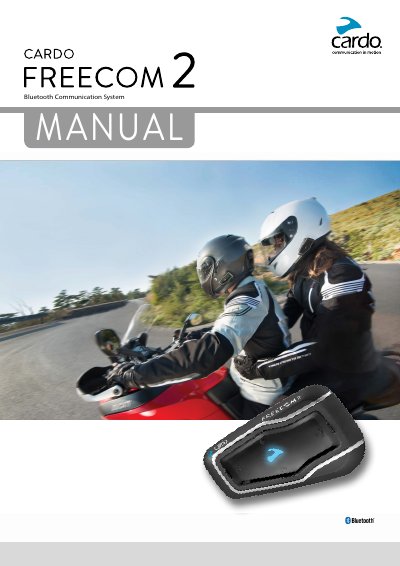

Cardo FREECOM 2 Bluetooth Communication System User Manual - cover page
Brand
Cardo
Category
Motorcycles
Document type
User Manual
Language
English
Pages
34
File format
PDF
File size
3.9 MB
Published
27 October, 2023
Updated
27 October, 2023
MD5 checksum
41EBC0B41F3CD4D0F7383881A0CDB260

About this manual

This manual provides instructions for using the Cardo FREECOM 2 Bluetooth communication and entertainment system designed for motorcycle helmets. It covers essential topics including charging the unit, getting started with basic functions, and configuring settings via the SmartSet app or voice menu. Detailed guidance is provided for pairing the unit with mobile phones, GPS devices, and other Cardo units for Bluetooth intercom communication.

What's inside

  • Introduction
  • Charging the FREECOM 2
  • Getting Started
  • Pairing Your Unit to Bluetooth Devices
  • Pairing the Bluetooth Intercom
  • Configuring Your FREECOM 2
  • Making and Receiving Phone Calls
  • Making and Receiving Bluetooth Intercom Calls
  • Listening to Music and Radio
  • Troubleshooting

Specifications

Charging Timeat least 4 hours
Bluetooth Channelstwo Bluetooth channels
PIN Code0000

Frequently asked questions

How long should the battery be charged before initial use?

The battery should be charged for at least 4 hours before initial use.

What is the default PIN for pairing?

The default PIN or Passkey is 0000 (four zeros).

How do I switch the unit on?

Press and hold the power button for 1 second until the speaker plays an ascending tone.

Download PDF (3.9 MB)

More Cardo Manuals


View all Cardo manuals →