
IQ Range Instructions for Safe Use, Installation, Basic Setup and Maintenance
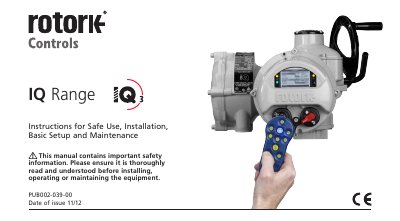
This publication (PUB002-039-00, issued 11/12) gives instructions for the safe use, installation, basic setup and maintenance of Rotork IQ range valve actuators. It identifies actuator parts, describes hand and electrical operation, display indications and alarms, and explains preparation of the drive bush and mounting on rising-stem, non-rising-stem and gearbox valves, including IQM modulating, IQL and IQML linear units.
Further sections cover cable connections and earthing, replacing the terminal cover, commissioning with basic settings (password, limits, torque switch bypass) using the Rotork Bluetooth Setting Tool Pro, and maintenance, monitoring and troubleshooting. Reference publications are cited for repair/overhaul and spare parts (PUB002-045) and for secondary function configuration (PUB002-040).
| Setting Tool enclosure rating | IP54 |
|---|---|
| Setting Tool operating temperature | Tamb = -30 to +50 °C |
| Setting Tool infra-red range | 0.75 m |
| Setting Tool Bluetooth range | up to 10 m |
| Actuator enclosure material | aluminium alloy with stainless steel fasteners; thrust bases in cast iron |
| Motor cover surface temperature | can exceed 60 °C above ambient |
The Rotork Bluetooth Setting Tool Pro allows actuator control, indication and protection functions to be configured, and supports datalogger download and configuration file transfer via Rotork Insight2.
Store it in a dry place until you are ready to connect incoming cables.
It must only be fitted with Alkaline-Manganese or Zinc Manganese AAA size batteries, such as Duracell Coppertop MN2400 or Energizer E92.
Refer to Publication PUB002-045 for repair, overhaul and spare part instructions.