
PTZOptics 30x NDI®|HX User Manual introduces the function, installation and operation of the HD camera.
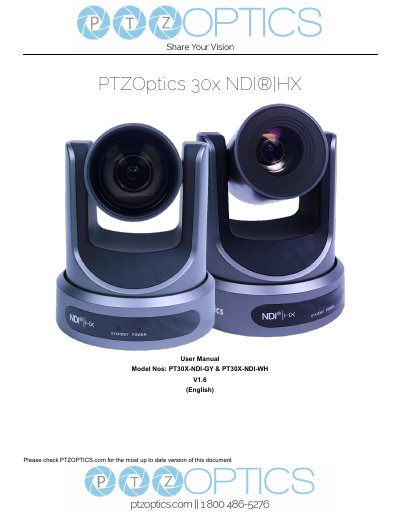
This is the PTZOptics 30x NDI®|HX User Manual (Rev 1.6) for the HD Professional Video Conferencing Camera models PT30X-NDI-GY and PT30X-NDI-WH. It covers the supplied accessories, electrical safety and handling notes, and a quick start sequence for connecting the camera, setting the video system switch and powering on. The document also lists camera features and full technical specifications, including video outputs, lens, pan/tilt ranges and input/output interfaces.
Later sections describe the IR remote controller, the RS-232 interface and a VISCA command list, followed by OSD menu settings for exposure, color, image, P/T/Z, noise reduction, setup, communication and restore default. Network topics include connecting the camera, setting up a network video stream, the camera web interface (Live, Video, Image, Audio, System, Network, Information, Language), NDI|HX connection and upgrading to NDI|HX, and the manual ends with maintenance and troubleshooting.
| Sensor | 1/2.7" CMOS, effective pixel 2.07M |
|---|---|
| Lens / Optical Zoom | 30x, f4.42mm ~ 88.5mm, F1.8 ~ F2.8 |
| Digital Zoom | 16x |
| Minimal Illumination | 0.05 Lux (@F1.8, AGC ON) |
| Video S/N | ≥55dB |
| Horizontal Angle of View | 2.28° ~ 60.7° |
| Pan / Tilt Range | Pan ±170°, Tilt -30° ~ +90° |
| Number of Presets | 255 |
| Input Voltage | DC 12V / PoE (802.3af) |
| Power Consumption | 12W (Max) |
| Operating Temperature | -10°C ~ 40°C (14°F ~ 104°F) |
| Dimensions | 142mm W x 169mm D x 164mm H |
You must turn the camera off and restart it to see the effect of the new resolution and frame rate setting.
Open the OSD menu with [MENU] and select [MENU] -> [RESTORE DEFAULT] -> [Restore], set the value to [Yes] and press [HOME]; with the IR remote you can press [*] + [#] + [6] in succession.
Yes, the camera supports Power over Ethernet 802.3af, and a 12VDC 2A power supply is provided for non-PoE infrastructure.
The features list states a 5-year warranty; the warranty table gives 3 years for earlier white and gray serial numbers and 5 years from RF0101001 / SF0101001 onward.