
HARMONY is an essential digital signal processor to maximize the acoustic performance of your car audio system. It consists of a 32-bit DSP processor and 24-bit AD and DA converters. Harmony can be connected to any factory system, even in vehicles featuring an integrated audio processor, since, thanks to the de-equalization function, Harmony will send back a linear signal. It features 7 signal inputs: 4 Hi-Level, 1 Aux Stereo, 1 Phone and provides 5 PRE OUT analog outputs. Each output channel has a 31-band equalizer available. It also features a 66-frequency electronic crossover as well as BUTTER-WORTH or LINKWITZ filters with 6-24 dB slope.
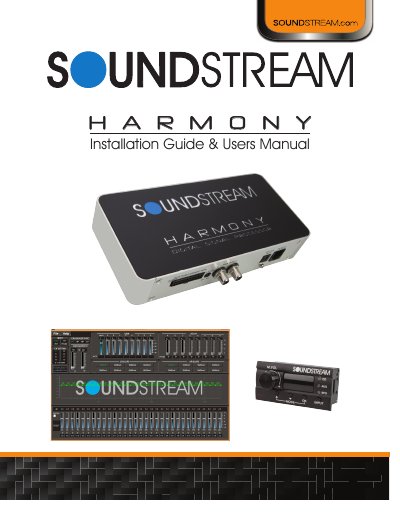
The Harmony digital signal processor is designed to maximize the acoustic performance of car audio systems. It features a 32-bit DSP processor, 24-bit AD and DA converters, and supports various input types including high-level, auxiliary, and optical inputs. The unit provides five pre-out analog outputs, each with a 31-band equalizer and a 66-frequency electronic crossover.
| Processor | 32-bit DSP processor |
|---|---|
| Converters | 24-bit AD and DA converters |
| Power Supply Voltage | 11-15 VDC |
| Idle Current | 0.4 A |
| Bandwidth | 10-22k Hz |
| Signal Stage Distortion | 0.005 % |
| Input Sensitivity (Speaker In) | 2-15V RMS |
| Input Impedance (Speaker In) | 2.2kΩ |
| Max Output Level (RMS) | 4V RMS |
A PC with Windows XP, Vista, or 7, a 1.5 GHz processor, 1 GB RAM, and a graphics card with a minimum resolution of 1024 x 600 pixels.
Connect the audio +/- outputs to the pink PHONE +/- wires and the mute trigger output to the orange PHONE MUTE wire.
If set in millimeters, the delay is in .05ms increments; if set in centimeters, it is in 2cm increments.