
Doctors Technology Office E-Faxing Guide for Remote Work

This document is a guide on how to use e-faxing when working remotely
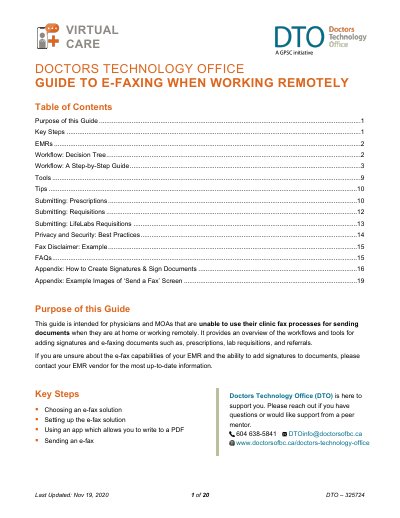

Doctors Technology Office E-Faxing Guide for Remote Work - cover page
Brand
Doctors Technology Office
Category
Health Care
Document type
User Manual
Language
English
Pages
20
File format
PDF
File size
671 KB
Published
21 October, 2023
Updated
21 October, 2023
MD5 checksum
86A4D4F104AC486C0A28196D18C7C5EF

About this manual

This guide helps physicians and medical office assistants send faxes remotely when they can't use their clinic's fax system. It covers five workflows based on whether documents can be saved to a computer and whether signatures are needed. Each workflow details tools required (e.g., eFax solutions, scanning apps, PDF writers) and step-by-step instructions for sending faxes via web browser or mobile app. Security best practices, including deleting documents after successful transmission, are emphasized.

The guide also includes appendices for creating digital signatures and examples of fax cover sheets, with specific instructions for Mac and Windows users, and special notes for Mac users using Continuity Camera with iOS devices.

What's inside

  • Purpose of this Guide
  • Key Steps Doctors Technology Office is here to support you
  • Workflow: Decision Tree
  • Workflow 1: Save PDF, No Signature
  • Workflow 2: Save PDF, Signature Required
  • Workflow 3: Cannot Save, No Signature
  • Workflow 4: Cannot Save, Signature Required
  • Workflow 5: Print or Paper Document, Sign Physically
  • Appendix: How to Create Signatures & Sign Documents
  • Appendix: Example Images of ‘Send a Fax’ Screen

Frequently asked questions

Do I need to add a disclaimer to my fax cover sheet?

If your cover sheet does not contain a disclaimer, you can add the one provided in this guide.

What operating systems are required to use the Continuity Camera feature for scanning documents?

You must be using macOS Mojave 10.14 or later and iOS 12 or later on an iPhone or iPad.

What is the recommended method for sending a fax to ensure security?

It is recommended to login to your fax solution in your web browser to send a fax.

Download PDF (671 KB)