
This is a user guide for efax service, which introduces the features and usage of efax service.
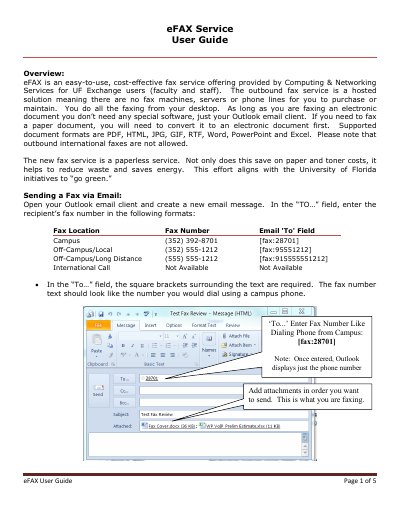
The eFAX service is a hosted, paperless fax solution provided by Computing & Networking Services for UF Exchange users. It allows faculty and staff to send faxes directly from their desktop using the Outlook email client, eliminating the need for fax machines, servers, or phone lines. The service supports various electronic document formats including PDF, HTML, JPG, and Word.
The service supports PDF, HTML, JPG, GIF, RTF, Word, PowerPoint, and Excel formats.
No, outbound international faxes are not allowed by the service.
Outbound eFAX is available only to faculty and staff users with UF Exchange accounts who use an Outlook email client.