
Panasonic AW-HE120WP/KP/WE/KE HD Integrated Camera Operating Instructions

This manual describes the basic operation and installation procedure for the AW-HE120WP/KP/WE/KE HD integrated camera.
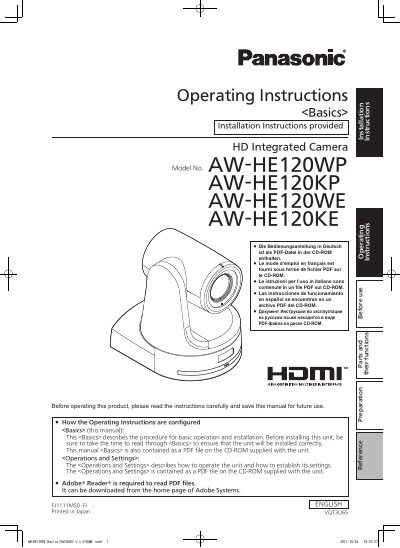

Panasonic AW-HE120WP/KP/WE/KE HD Integrated Camera Operating Instructions - cover page
Brand
Panasonic
Document type
User Manual
Language
English
Pages
52
File format
PDF
File size
6.3 MB
Published
21 October, 2023
Updated
21 October, 2023
MD5 checksum
2A2193D8FFFEE5A037CAD4A3ECFE28C5

About this manual

This manual provides step-by-step instructions for installing and operating Panasonic HD integrated cameras, including models AW-HE120WP, AW-HE120KP, AW-HE120WE, and AW-HE120KE. It covers setup with controllers, network configurations, and safety guidelines. The manual also includes troubleshooting and specifications for each model.

The document is multilingual, with instructions available in English, German, French, Italian, Spanish, and Russian, and is distributed on a CD-ROM with Adobe Reader required for viewing the PDF files.

What's inside

  • Installation Instructions
  • Operating Instructions
  • Read this first!
  • Installation precautions
  • How to install and connect the unit
  • Connections
  • Appearance
  • Parts and their functions
  • Network settings
  • Installing the software

Frequently asked questions

What is the model number given in the manual for the AW-HE120WP?

The model number given in the manual is AW-HE120.

What should you do if the software installation screen opens when inserting the CD-ROM?

Discontinue installation if the installation screen of the software opens as a result of inserting the CD-ROM.

What is required to read the PDF files in this manual?

Adobe® Reader® is required to read PDF files.

What is the purpose of the section in this manual?

This describes the procedure for basic operation and installation.

Download PDF (6.3 MB)

More Panasonic Manuals


View all Panasonic manuals →