
This document provides some suggestions on how to set up one’s field and video frame for Remote Dueling.
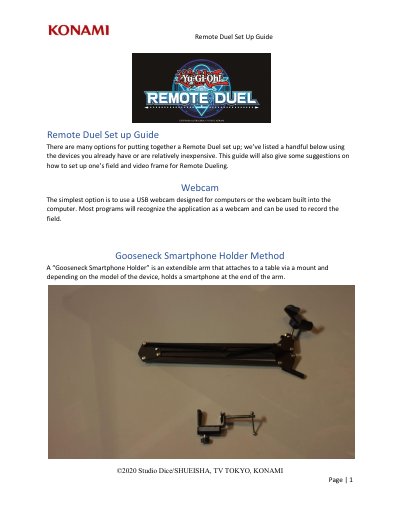
This guide explains how to set up equipment for Remote Duel using devices like webcams, smartphone holders, and tripods. It covers mounting options and connecting smartphones to computers or other devices for video calls. The guide also includes instructions for playing without a computer using screen mirroring or HDMI adapters.
The guide advises following manufacturer instructions for all equipment and checking device compatibility. It includes tips for positioning equipment to avoid obstructing the monitor or Dueling area, and instructions for using camera apps to configure devices as webcams or for screen mirroring.
Yes, you can use screen mirroring or an HDMI converter to display your smartphone’s screen on a monitor or TV, then use a video call app to connect with your opponent.
A USB webcam or the webcam built into the computer can be used.
A tripod that can swivel and tilt is recommended.
By using a camera app that the computer recognizes as a webcam.