
Badia BigPicture 3.0 is an XTension that displays detailed information about each picture used in a document. It also pro- vides tools for managing pictures, such as cropping, resizing, and rotating.
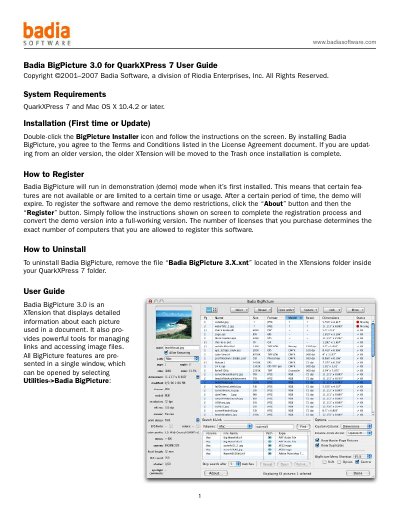
Badia BigPicture 3.0 is an XTension for QuarkXPress 7 that helps users manage image links and view detailed information about pictures in documents. It provides tools to rename, update, relink, and search for images. The interface includes a list view and thumbnail view for organizing images, with an info panel showing detailed metadata. Users can register the software to remove demo restrictions and uninstall it by removing the XTension file.
Click the “About” button and then the “Register” button, then follow the on-screen instructions to complete registration.
Remove the file “Badia BigPicture 3.X.xnt” located in the XTensions folder inside your QuarkXPress 7 folder.