
TurboMate E2 is a health monitoring device with a 2.3-inch touchscreen, a camera and a BIO sensor for heart rate detection.
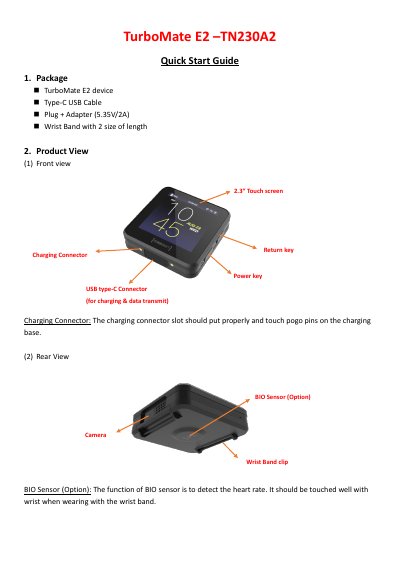
The TurboMate E2 is a smart watch equipped with a 2.3-inch touch screen, a camera, and various sensors including a heart rate monitor (BIO Sensor), GPS, and a pedometer. The device supports connectivity via Bluetooth, Wi-Fi, and NFC, and includes a gallery for photos and videos.
| Screen Size | 2.3 inches |
|---|---|
| Charging Voltage | 5.35V/2A |
| Charging Connector | USB type-C |
| FCC ID | H8NTN230A2 |
Connect the device to the included Type-C USB Cable and plug it into the provided 5.35V/2A adapter.
Yes, you can mount it on the wall using the included screw kit (M3.5*20L, P head) and slide the cradle into place.
Press the power key until you feel vibration from the device to perform a hard reset.