
Key facts
- Manuals
- 1
- Languages
- EN
- Last added
- 2023-10-19
Featured TurboMate manuals
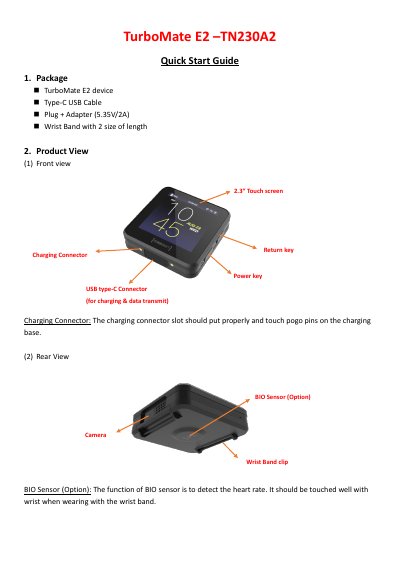
TurboMate E2 Smart Watch Quick Start Guide
The TurboMate E2 is a smart watch equipped with a 2.3-inch touch screen, a camera, and various sensors including a heart rate monitor (BIO Sensor), GPS, and a pedometer. The device supports connectivity via Bluetooth, Wi-Fi, and NFC, and includes a gallery for photos and videos.
Covers: Package Contents · Product View · Charging · Wall Mount · Boot and Shut Down · Home Screen
Latest TurboMate manuals
TurboMate E2 Smart Watch Quick Start Guide
User Manual 8 pages · 695 KB · ENThis quick start guide covers the setup, operation, and safety instructions for the TurboMate E2 smart watch, including charging, app usage, and sensor…
Which document do I need?
User Manual
Day-to-day operation, settings and troubleshooting. Start here if the product is already set up.
Questions answered in TurboMate manuals
How do I charge the TurboMate E2?
Connect the device to the included Type-C USB Cable and plug it into the provided 5.35V/2A adapter.
Can I mount the device on the wall?
Yes, you can mount it on the wall using the included screw kit (M3.5*20L, P head) and slide the cradle into place.