
Note Taking Express Guide is a guide on how to use Note Taking Express. It contains instructions on how to sign in, upload files, create folders, download files, and move or copy files.
This guide explains how to sign in, navigate the dashboard, upload and manage files, create documents, and use messaging. It also covers downloading, moving, copying files, and viewing recent activities. The interface includes a live chat help desk for support.
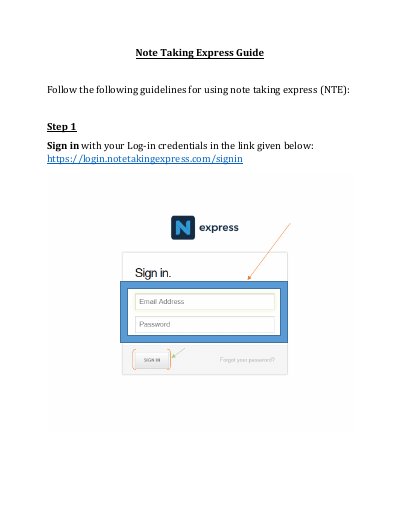
Sign in with your Log-in credentials.
Select the 'Folder' option under 'Create' and provide a name.
You can access the Dashboard, view Recent Activities, or use the 'Help Desk' Live chat.
Click on the 'Download' option and confirm with 'Ok' on the pop-up message.