
MultiConnect ® Conduit™ is a programmable gateway developed by Multi-Tech Systems, Inc. It uses an open Linux development environment to enable machine-to-machine (M2M) connectivity using various wireless interfaces. It also provides an online application store for industrial things as a platform for developers to provision and manage their gateway and associated sensors and devices.
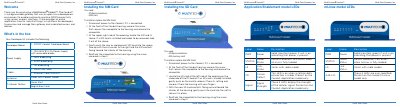
This guide helps users install SIM, SD, and battery cards in the MultiTech MTCDT-Conduit gateway. It includes step-by-step instructions for opening the device, inserting components, and replacing the battery. The guide also explains LED indicators for power, status, and connectivity.
The device is a programmable gateway for M2M connectivity using Linux and supports industrial IoT applications with an online app store for device management.
It is a programmable gateway that uses an open Linux development environment to enable machine-to-machine connectivity using various wireless interfaces.
The kit includes a 100-240V 9V-1.7A Power Supply with removable blades.
The USB HOST connector has a maximum current draw of 500mA.