
Liquidynamics LD250 Electronic Digital Meter Instruction & Parts Manual, introduces the product's features and characteristics, installation and use methods, maintenance and maintenance information.
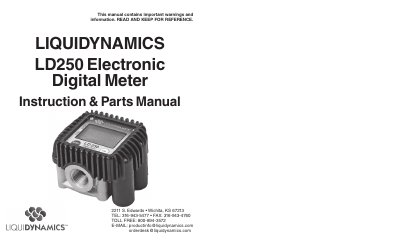
This manual provides instructions for installing, operating, calibrating, and maintaining the Liquidynamics LD250 electronic digital meter. It explains how to reset batch and cumulative totals, configure units of measure, and perform in-field calibration. The meter uses oval gear technology to measure fluid flow with high accuracy and features an LCD display with multiple total registers. It is designed for use with clean fluids such as engine oil, hydraulic fluid, and antifreeze, and is rated for a maximum operating pressure of 1,000 PSI.
The manual includes safety warnings, technical specifications, troubleshooting tips, and maintenance procedures such as battery replacement and cleaning the measurement chamber. The device is field-replaceable and can be installed in any orientation with ½” NPTF threaded connections.
| Measurement System | Oval Gears |
|---|---|
| Resolution (Nominal) | 0.0053 quarts/pulse |
| Flow Rate Range | 0.25 to 8 GPM |
| Operating Pressure, Max. | 1,000 PSI |
| Burst Pressure | 2,900 PSI |
| Storage Temperature Range | -4° F – 158° F |
| Storage Maximum Humidity | 95% Relative Humidity, Non Condensing |
| Operating Temperature Range | 14° F – 122° F |
| Pressure Drop @ 4 GPM, SAE 10W @ 68 ° F | 5 PSI |
| Allowable Viscosity Range | 5 – 5000 cps |
| Accuracy (from 1 – 4 GPM) | +/- 1% after Calibration |
| Reproducibility (typical) | +/- 0.3% |
| Display Screen | LCD w/ 5 digit Batch Total, 6 digit Cumulative Total |
| Power Supply | 2 ea. 1.5 V Alkaline batteries, size AAA |
| Battery Life | 18 – 36 Months |
| Weight | 1.1 lb |
| Reed Switch Max Current | 100 mA |
| Ingress Protection Rating | IP65 |
The maximum operating pressure is 1,000 PSI.
It is designed for use with clean fluids such as engine oil, hydraulic fluid, transmission fluid, and antifreeze.
Press the 'RESET' button when the meter is in standby mode (displaying 'TOTAL').
Simultaneously press the 'RESET' and 'CAL' buttons until the word 'UNIT' appears on the display.