
This manual introduces the function, specification, installation, electrical connection and other information of VDX-6316/ VDX-6316-512 DM&P Vortex86DX 800MHz Tiny CPU Module with 2S/2USB/2GPIO/PWMx24 256MB DDR2 Onboard.
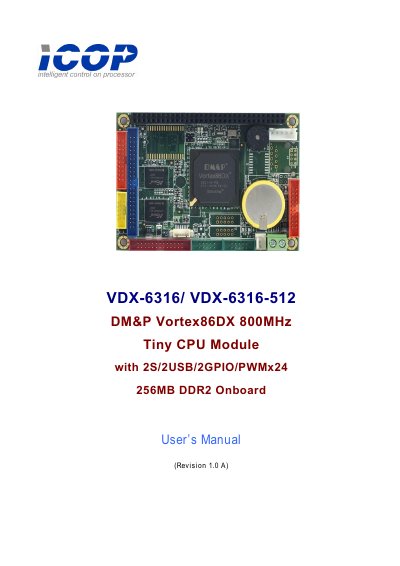
The VDX-6316 family of low-power x86 embedded controllers integrates an 800MHz Vortex86DX System-On-Chip with 256MB or 512MB of DDR2 onboard memory. Designed to meet Tiny specifications, these modules feature backward compatibility for legacy x86 software and support a wide range of applications including industrial automation, process control, and automotive systems. The device includes multiple I/O interfaces such as Enhanced IDE, USB 2.0, RS-232/485, and GPIO ports, all powered by a single +5V DC voltage.
| CPU | Vortex86DX- 800MHz |
|---|---|
| System Memory | 256/ 512MB DDR2 Onboard |
| BIOS | AMI BIOS |
| Operating Temperature | -20°C ~ +70°C |
| Power Requirement | +5V @ 360mA |
| Dimensions | 100mm X 66mm |
The board supports Embedded software such as Free DOS, DOS 6.22, PCDOS 7.1, DR-DOS, x-DOS, OS/2, Windows CE 6.0, Windows 98, Windows XP Professional, Windows Embedded standard (XPE), and Windows 2000 (SP4).
Press the 'End' key when powering on, press to enter the AMI BIOS setup, press 'F9' to Load Optimized Defaults, and press 'F10' to Save configuration changes.