
Key facts
- Manuals
- 30
- Models
- 2
- Languages
- EN · ZH
- Last added
- 2023-10-19
ICOP Technology models by category
Featured ICOP Technology manuals
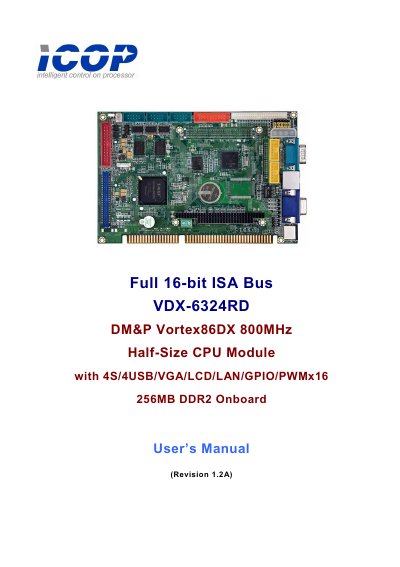
ICOP Technology VDX-6324RD Vortex86DX CPU Module User Manual
This manual covers the VDX-6324RD, a low-power x86 embedded controller designed to meet Half-Size specifications with a full 16-bit ISA Bus. The module integrates an 800MHz Vortex86DX System-On-Chip, 256/512MB DDR2 system memory, and supports VGA, TFT/LVDS LCD, and Ethernet interfaces. It is intended for applications requiring small footprints and low power, such as industrial automation, process control, and automotive controllers.
Covers: Packing List · Product Description · Specifications · Board Dimension · Board Outline · Connectors & Jumpers
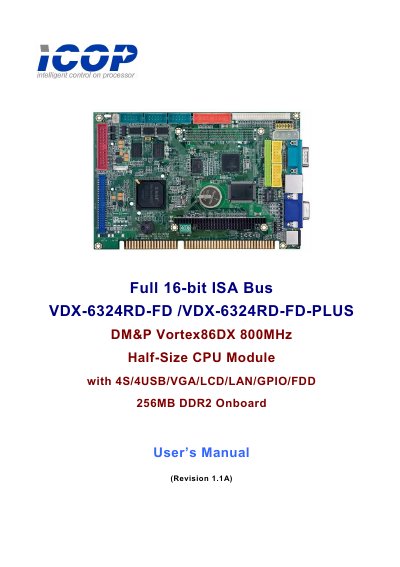
Vortex86DX 800MHz Half-Size CPU Module with 4S/4USB/VGA/LCD/LAN/GPIO/FDD 256MB DDR2 Onboard user's manual
This document is the User's Manual for the VDX-6324RD-FD and VDX-6324RD-FD-PLUS Half-Size CPU modules manufactured by ICOP Technology. The module is based on the Vortex86DX 800MHz System-On-Chip and is designed to meet the Half-Size specification with a full 16-bit ISA Bus. It integrates features such as VGA, TFT/LVDS LCD support, 256/512MB DDR2 system memory, and multiple I/O interfaces including USB, Ethernet, and serial ports.
Covers: Packing List · Product Description · Specifications · Board Dimension · Board Outline · Connectors & Jumpers Location
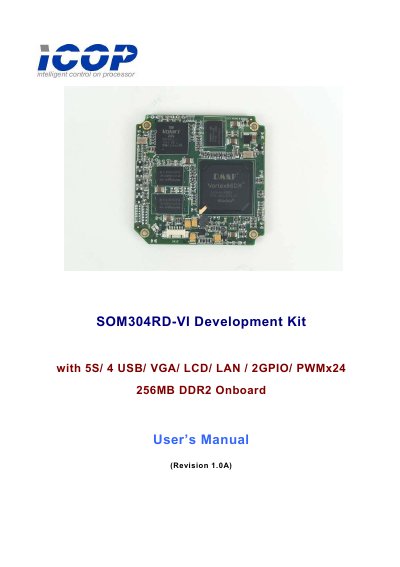
ICOP Technology SOM304RD-VI Development Kit User's Manual
The document serves as a User's Manual for the SOM304RD-VI Development Kit, which features an 800MHz Vortex86DX System-On-Chip and 256MB DDR2 onboard memory. It is designed for applications in industrial automation, process control, and automotive controllers. The kit includes a CPU module, HDD connectors, RS232 cables, and GPIO cables.
Covers: Introduction · Packing List · Product Description · Specifications · Board Dimension · Installation
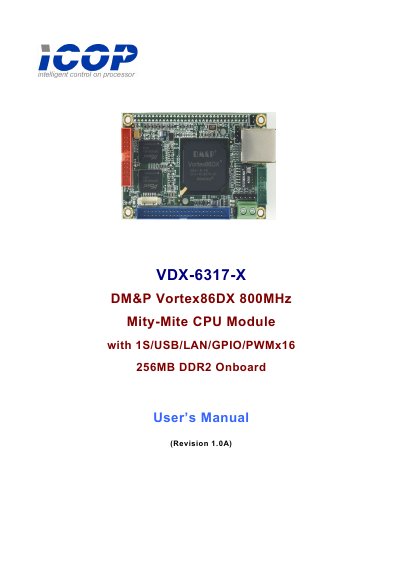
VDX-6317-X DM&P Vortex86DX 800MHz Mity-Mite CPU Module User's Manual
This manual covers the VDX-6317-X DM&P Vortex86DX 800MHz Mity-Mite CPU Module, a low-power x86 embedded controller designed for Tiny specifications. It includes an 800MHz Vortex86DX System-On-Chip, 256MB of onboard DDR2 memory, and supports a wide range of applications including industrial automation, process control, and automotive controllers. The device features backward compatibility with legacy x86 Mity-Mite controllers.
Covers: Packing List · Product Description · Specifications · Board Dimension · Board Outline · Connectors & Jumpers Location
Latest ICOP Technology manuals
ICOP Technology VDX-6324RD Vortex86DX CPU Module User Manual
User Manual 44 pages · 902 KB · ENUser manual for the ICOP Technology VDX-6324RD, a half-size embedded controller featuring an 800MHz Vortex86DX CPU, DDR2 memory, and various I/O interfaces.
Vortex86DX 800MHz Half-Size CPU Module with 4S/4USB/VGA/LCD/LAN/GPIO/FDD 256MB DDR2 Onboard user's manual
User Manual 44 pages · 1.1 MB · ENUser's manual for the ICOP Technology VDX-6324RD-FD Half-Size CPU module featuring an 800MHz Vortex86DX SoC, DDR2 memory, and various I/O interfaces.
ICOP Technology SOM304RD-VI Development Kit User's Manual
User Manual 41 pages · 783 KB · ENThis manual covers the installation, specifications, and driver setup for the ICOP Technology SOM304RD-VI Development Kit, a Vortex86DX-based embedded…
VDX-6317-X DM&P Vortex86DX 800MHz Mity-Mite CPU Module User's Manual
User Manual 27 pages · 633 KB · ENUser manual for the ICOP Technology VDX-6317-X embedded controller featuring an 800MHz Vortex86DX SoC, 256MB DDR2 memory, and various I/O interfaces.
ICOP Technology VDX-6356/VDX-6356-512 DM&P Vortex86DX 800MHz PC/104 CPU Module User's Manual
User Manual 33 pages · 659 KB · ENUser manual for ICOP Technology's VDX-6356/VDX-6356-512 Vortex86DX 800MHz PC/104 CPU module with 256MB/512MB DDR2 memory and multiple I/O interfaces.
ICOP Technology APL-NUC-N3350 Embedded Solution User Manual
User Manual 31 pages · 1.2 MB · ENThis user manual covers the ICOP Technology APL-NUC-N3350 embedded solution based on the Intel Apollo Lake N3350 processor, including hardware…
PPC-150T DMP Vortex86 DX2 / DX3 Processor Compact Panel PC with 15” Touchscreen User's Manual
User Manual 45 pages · 2.2 MB · ENUser manual for the ICOP Technology PPC-150T compact panel PC featuring Vortex86 DX2/DX3 processors, 15-inch resistive touchscreen, and optional PoE+ support.
ICOP Technology VDX3-6755 Embedded Controller User Manual
User Manual 30 pages · 1.6 MB · ENThis manual covers the VDX3-6755 low-power x86 embedded controller, including specifications, hardware information, BIOS settings, and ordering details.
VDX-6314D / VDX-6314D-AU DM&P Vortex86DX 800MHz Tiny CPU Module User's Manual
User Manual 33 pages · 641 KB · ENThis manual provides installation, driver, and configuration instructions for the ICOP Technology VDX-6314D Vortex86DX 800MHz Tiny CPU Module.
ICOP Technology VDX2-6554 Vortex86DX2 PC/104 CPU Module User's Manual
User Manual 34 pages · 974 KB · ENThis manual covers the installation, specifications, and driver setup for the ICOP Technology VDX2-6554 embedded PC/104 CPU module featuring the Vortex86DX2…
VSX-6154-V2 / VSX-6154-V2-PLUS DM&P Vortex86SX 300MHz PC/104 CPU Module User's Manual
User Manual 38 pages · 1010 KB · ENUser's manual for the ICOP Technology VSX-6154-V2 embedded Vortex86SX CPU module featuring 300MHz performance and PC/104 compliance.
ICOP Technology SOM304RD-PI Development Kit User's Manual
User Manual 43 pages · 771 KB · ENThis manual covers the installation, specifications, and driver setup for the ICOP Technology SOM304RD-PI Development Kit featuring the Vortex86DX processor.
ICOP Technology Mity-SoC with 2S/USB/GPIO 128MB DDR2 Onboard User's Manual
User Manual 53 pages · 911 KB · ENUser manual for the ICOP Technology Mity-SoC CPU module with 128MB DDR2 onboard memory, USB, GPIO, and embedded disk.
ICOP Technology SOM304SX-PI Development Kit User's Manual
User Manual 42 pages · 769 KB · ENThis manual covers the installation, specifications, and driver setup for the ICOP Technology SOM304SX-PI Development Kit featuring a Vortex86SX processor.
ICOP Technology VDX-6372/VDX-6372-Plus Vortex86DX 600MHz PC/104 CPU Module User's Manual
User Manual 40 pages · 1.2 MB · ZHUser manual for ICOP Technology's VDX-6372/VDX-6372-Plus PC/104 CPU module with Vortex86DX 600MHz SoC, DDR2 memory, and industrial I/O interfaces.
- 1
- 2
Which document do I need?
User Manual
Day-to-day operation, settings and troubleshooting. Start here if the product is already set up.
Questions answered in ICOP Technology manuals
How do I restore the BIOS to default settings?
Press the 'End' key when powering on, press <Del> to enter the AMI BIOS setup, press 'F9' to Load Optimized Defaults, and press 'F10' to Save configuration changes and exit.
From: ICOP Technology VDX-6324RD Vortex86DX CPU Module User Manual
What is the warranty period for this product?
The product is warranted to be in good working order for a period of one year from the date of purchase.
From: ICOP Technology VDX-6324RD Vortex86DX CPU Module User Manual
How do I restore the BIOS to default settings?
Press the 'End' key when powering on, press <Del> to enter the AMI BIOS setup, press 'F9' to Load Optimized Defaults, and press 'F10' to Save configuration changes and exit.
What is the warranty period for this product?
The product is warranted to be in good working order for a period of one year from the date of purchase.
What is the operating temperature range for the SOM304RD-VI?
The standard operating temperature range is -20°C to +70°C, with an optional range of -40°C to +85°C.
From: ICOP Technology SOM304RD-VI Development Kit User's Manual
How do I restore the BIOS to default settings?
Press the 'End' key when powering on, press <Del> to enter the AMI BIOS setup, press 'F9' to load defaults, and 'F10' to save and exit.
From: ICOP Technology SOM304RD-VI Development Kit User's Manual