
This manual introduces the usage of LGT-92 LoRa GPS Tracker. It includes the tracker's specifications, features, applications, hardware changelog, variants, etc.
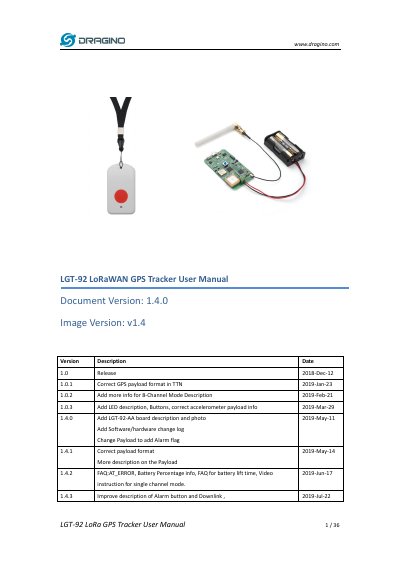
This manual guides users through setting up and operating the Dragino LGT-92 LoRa GPS tracker. It covers connecting to LoRaWAN networks using OTAA or ABP modes, configuring AT commands, uploading firmware, and troubleshooting common issues. The device supports multiple frequency bands and includes variants powered by Li-ion or AA batteries for different use cases.
The manual also details hardware specifications, including the STM32L072CZT6 MCU, GPS module, accelerometer, and power consumption profiles. It provides step-by-step instructions for configuring the device with gateways and IoT servers, including payload formats and frequency band settings.
| Micro Controller | STM32L072CZT6 |
|---|---|
| Flash Memory | 192KB |
| RAM | 20KB |
| Operating Temperature | -40 ~ 85° C |
| Supply Voltage | 2.1v ~ 3.6v |
| LoRa Frequency Bands | CN470/EU433/KR920/US915/IN865, EU868/AS923/AU915 |
| Battery Options | 1000mA Li-on (LGT-92-LI) or 2 x AA (LGT-92-AA) |
| Power Consumption (Sleeping Mode) | 77uA (LGT-92-LI), 17uA (LGT-92-AA) |
Battery life depends on usage mode: LGT-92-LI with Li-ion battery supports real-time tracking with short uplink periods, while LGT-92-AA with AA batteries is designed for long-term asset tracking with infrequent uplinks.
Use AT commands to set the frequency band, such as AT+CHS=868400000 for 868.4 MHz, or configure via TTN settings for supported bands including US915, AU915, CN470, etc.
Yes, the device supports private LoRaWAN networks using ABP mode with custom session keys and device addresses.
Channel mapping issues may prevent joining; refer to the provided link for detailed configuration instructions.