
This manual introduces the function, usage method and precautions of LGT-92 LoRaWAN GPS Tracker.
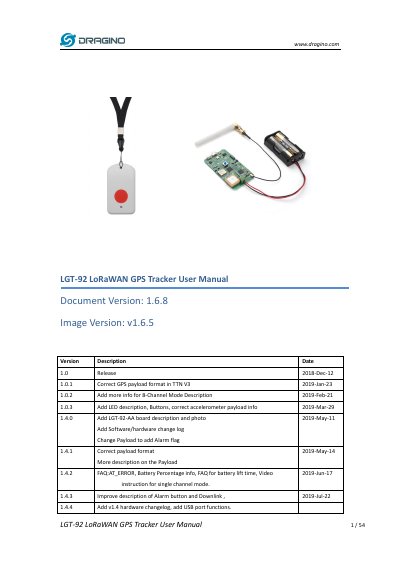
The Dragino LGT-92 is a low-power LoRaWAN GPS tracker designed for logistics, supply chain management, and human tracking. It utilizes an STM32L072CZT6 microcontroller and an SX1276/78 wireless chip to transmit location data via LoRaWAN networks. The device is available in two variants: the LGT-92-LI with a rechargeable Li-ion battery for real-time tracking, and the LGT-92-AA with AA battery holders for long-term asset tracking.
| Micro Controller | STM32L072CZT6 MCU |
|---|---|
| Flash Memory | 192KB |
| RAM | 20KB |
| Clock Speed | 32Mhz |
| Supply Voltage (LGT-92-LI) | 5V via USB port or Internal li-on battery |
| Supply Voltage (LGT-92-AA) | 2.84v ~ 3.6v via screw terminal |
| Operating Temperature | -40 ~ 85° C |
| Frequency Range | 862 ~ 1020 Mhz |
| Maximum Link Budget | 168 dB |
| RF Output Power | +20 dBm - 100 mW constant RF output |
| Battery (LGT-92-LI) | 1000mA Li-on Battery |
| Battery (LGT-92-AA) | 2 x AA battery holder |
| Sleeping Mode Current (LGT-92-LI) | 77uA |
| Sleeping Mode Current (LGT-92-AA) | 17uA |
| LoRa Transmit Mode Current | 125mA @ 20dBm |
| Tracking Current | max: 38mA |
The manual does not specify a fixed lifetime; it notes that the LGT-92-LI uses a 1000mA rechargeable Li-ion battery while the LGT-92-AA uses 2 x 1.5v AA batteries.
The device supports multiple frequency bands including CN470, EU433, KR920, US915, IN865, EU868, AS923, and AU915 to suit different regions.
The document references checking the firmware version in the FAQ section, though the specific command to view it is not explicitly detailed in the provided text.
Users can change the frequency bands or region using AT commands, as indicated in the troubleshooting section.