
This is a user manual for a GPS tracking device. It mainly introduces the device's hardware and functional characteristics, as well as how to use the device to locate the target location
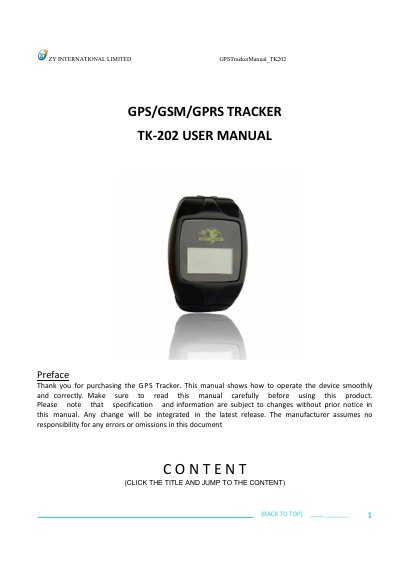
This manual guides users through operating the TK-202 GPS tracker, including hardware setup, initialization, password management, and alarm functions. It details how to configure real-time polling, geo-fencing, speed limits, and SOS alerts via SMS commands. The device uses GSM/GPRS networks and GPS satellites for location tracking and can be monitored remotely. It also covers home monitoring setup and troubleshooting.
The tracker includes features like voice surveillance, movement and overspeed alarms, low battery alerts, and belt-open detection. Users can authorize up to five numbers to receive location and alarm messages. The manual provides step-by-step instructions for setting up the device, including SIM card and battery installation, and configuring GPRS settings for server-based monitoring.
| Dimension | 73mm*54mm*23mm |
|---|---|
| Weight | 120g |
| Network | GSM / GPRS |
| GPS chip | SIRF III chip |
| GPS sensitivity | -159 dBm |
| GPS accuracy | 5m (20m after satellite drift) |
| Time to first fix | Cold status = 45s; Warm status = 35s; Hot status = 1s |
| Battery | 3.7V 850mAh Li-ion |
| Battery life | 80 hours |
| Storage temp. | -40 °C ~ +85 °C |
| Operation temp. | -20 °C ~ +55 °C |
| Humidity | 5% ~ 95% non-condensing |
Send SMS command "begin+password" to initialize all settings. Example: "begin123456". You will receive a reply as "begin ok!" if successful.
Send SMS command "admin+password+space+cell phone number" to set up an authorized number. Example: "admin123456 13888888888". You will receive a reply as "admin ok!" if successful.
Send SMS command "imei+password" to check the IMEI number of the tracker.
Send SMS command "apn+password+space+apn content" to set the APN. Example: "apn123456 internet". You will receive a reply as "apn ok!" if successful.