
This is the instruction manual for GrowFrame. It introduces the product's usage method and function, including usage method, flower selection, mode selection, and reset method.
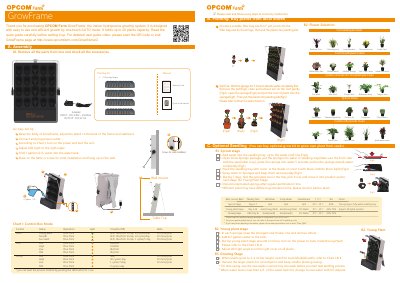
This manual guides users through setting up the GrowFrame hydroponics system, including assembly, planting stages (sprout, young plant, growth), and water/nourishment management. It also covers optional accessories, troubleshooting common issues like pump or light failures, and maintenance tips to ensure optimal plant growth.
The system operates in auto modes with pre-programmed cycles for LED lights and pumps to mimic natural daylight, supporting up to 20 plants. Users can choose from various plant types and adjust settings based on growth stages, with charts for light and pump schedules. Optional seedling kits and nutrient solutions are available for more advanced use.
| Water Capacity | 0.7 gallons (2.7L) |
|---|---|
| Power Input | 100-240V~ 50/60Hz |
| Power Output | DC12V 3A |
| LED Light Type | OPCOM 20W LED Growth Lamp |
The GrowFrame uses an OPCOM 20W LED Growth Lamp, suitable for most plants’ growth.
Change new water with NT-Starter when water is less than 1/2 tank, or use different nutrients for specific plants.
Replace the pump with a new one.
The auto cycles mimic natural daylight to provide optimal growing conditions and save energy.