
Key facts
- Manuals
- 3
- Languages
- EN
- Last added
- 2023-10-18
Featured OPCOM Farm manuals
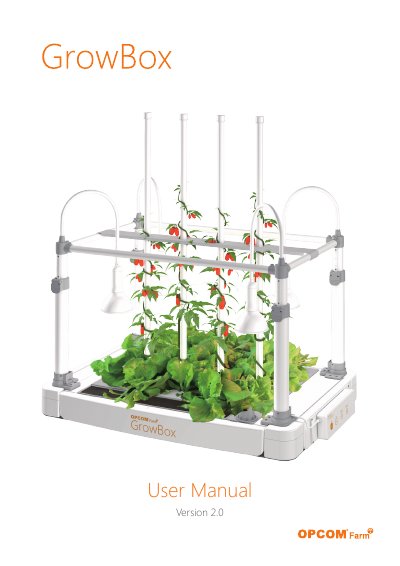
OPCOM Farm GrowBox User Manual
This manual guides users through assembling the OPCOM Farm GrowBox, planting seeds, and maintaining the system. It includes sections on setup, planting stages, optional features like climbing tubes and insect nets, and troubleshooting. The GrowBox automates plant care for up to 50 plants in a controlled, pollution-free environment. Users are encouraged to register for updates and support at www.opcomfarm.com.
Covers: Assembly · Description · Caution · Set up Process · Planting · Optional Features
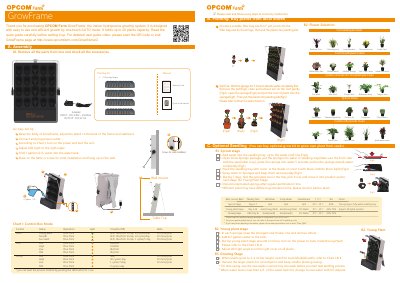
OPCOM Farm GrowFrame Indoor Hydroponics Growing System User Manual
This manual guides users through setting up the GrowFrame hydroponics system, including assembly, planting stages (sprout, young plant, growth), and water/nourishment management. It also covers optional accessories, troubleshooting common issues like pump or light failures, and maintenance tips to ensure optimal plant growth.
The system operates in auto modes with pre-programmed cycles for LED lights and pumps to mimic natural daylight, supporting up to 20 plants. Users can choose from various plant types and adjust settings based on growth stages, with charts for light and pump schedules. Optional seedling kits and nutrient solutions are available for more advanced use.
Covers: Assembly · Planting · Sprout Stage · Young Plant Stage · Growing Stage · Maintenance
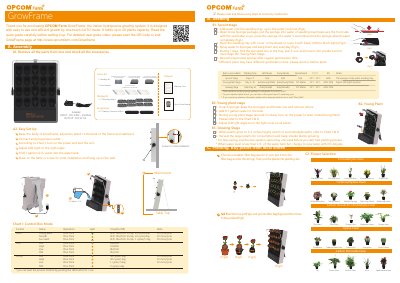
OPCOM Farm GrowFrame Indoor Hydroponics System User Manual
The GrowFrame is an indoor hydroponics growing system designed for easy, one-touch automatic operation. It supports up to 20 plants and includes a control box that manages LED lighting and water pump cycles to mimic natural outdoor conditions. The system is suitable for growing various plants, including young plants, succulents, and microgreens.
Covers: Assembly · Seedling Kit · Planting · Young Plant Stage · Growing Stage · Sprouts and Microgreens
Latest OPCOM Farm manuals
OPCOM Farm GrowBox User Manual
User Manual 32 pages · 4.8 MB · ENUser guide for assembling and operating the OPCOM Farm GrowBox indoor hydroponic system.
OPCOM Farm GrowFrame Indoor Hydroponics Growing System User Manual
User Manual 2 pages · 4.4 MB · ENUser manual for OPCOM Farm's GrowFrame indoor hydroponics system, covering setup, planting, maintenance, and troubleshooting.
OPCOM Farm GrowFrame Indoor Hydroponics System User Manual
User Manual 2 pages · 4 MB · ENThis manual provides assembly instructions, setup guides, and maintenance tips for the OPCOM Farm GrowFrame indoor hydroponics growing system.
Which document do I need?
User Manual
Day-to-day operation, settings and troubleshooting. Start here if the product is already set up.
Questions answered in OPCOM Farm manuals
When should the climbing tubes be used?
The climbing tubes are for tall and vining plants like tomatoes to support growth as they climb.
When should we use the insect net?
Use the net if insects may be present in the environment.
What type of LED Light is on the GrowFrame?
The GrowFrame uses an OPCOM 20W LED Growth Lamp, suitable for most plants’ growth.
From: OPCOM Farm GrowFrame Indoor Hydroponics Growing System User Manual
How do I change the water?
Change new water with NT-Starter when water is less than 1/2 tank, or use different nutrients for specific plants.
From: OPCOM Farm GrowFrame Indoor Hydroponics Growing System User Manual
How do I adjust the LED light angle?
Adjust the LED light to the right angle so it covers all plants.
From: OPCOM Farm GrowFrame Indoor Hydroponics System User Manual
What is the recommended temperature for soaking seeds?
The recommended temperature is 35°C, not over 40°C.
From: OPCOM Farm GrowFrame Indoor Hydroponics System User Manual