
This document introduces how to connect Dragon-ICE to ADS AXD debugger, including starting Dragon-ICE server, starting ADS AXD debugger, adding Dragon-ICE driver and connecting Dragon-ICE server.
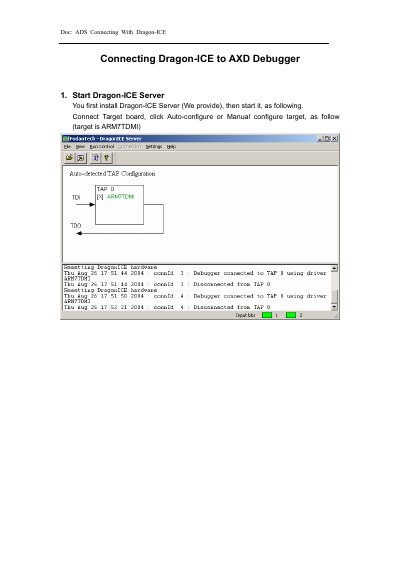
This guide explains how to connect Dragon-ICE to ADS AXD debugger. First, install and start the Dragon-ICE Server. Then, launch AXD, add the Dragon-ICE.dll file, and configure the target as ARM7TDMI. Finally, connect and load images for debugging.
The guide states that the target processor is ARM7TDMI.
You must first install the server and then start it.
You need to add the file named Dragon-ICE.dll.