
Spider MT505 SIP user manual, introduces Spider MT505 SIP's connection, use methods, as well as external microphone/speaker, daisy chain and other features
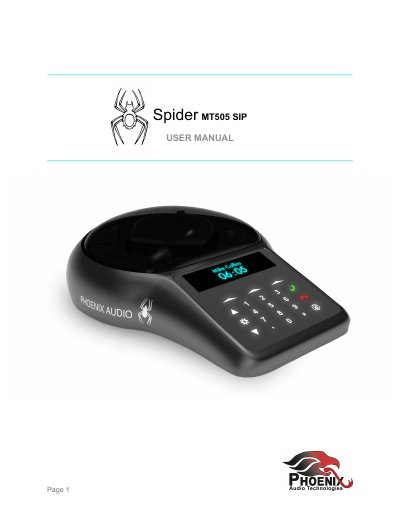
The Spider MT505 is a high-quality conference speakerphone designed to turn any room into a professional conference space. It features multiple microphones, a uniquely designed speaker, and powerful DSP technology to achieve commanding audio performance. The device supports both computer connections via USB and IP telephone provider sessions via Ethernet/SIP.
| Frequency response | 50Hz – 16KHz |
|---|---|
| Broadcast level | 92dB SPL @1m (5 watts RMS) |
| Noise cancellation | > 10dB |
| Acoustic echo cancellation | > 40dB |
| Microphones | 4 high-quality directional microphones |
| Daisy chain expandability | up to 15 units |
| Latency | 10ms |
| Dimensions | Length: 9.4" Width: 7" Height: 2.75" |
Enter the phone menu, select 'Information' to find the unit's IP address, then open a web browser and type in the IP address with the username 'admin' and password '1234'.
Yes, connect the micro USB side of the provided cable to the Spider and the USB end to any USB port on your computer.
The Spider can be part of a chain of up to 15 units, though the MT505 can only act as the master unit.
The display notifies you of the caller ID, a ringtone plays, and the grill lights flash blue.