
This document introduces the periodic calibration methods for Spider hardware, including input and output channel calibration, and sensor calibration. Spider hardware can be automatically calibrated through EDM desktop software.
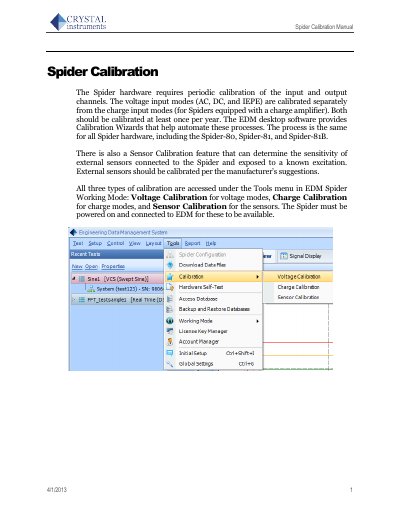
This manual describes the calibration procedures required for Crystal Instruments Spider hardware, including models Spider-80, Spider-81, and Spider-81B. The process involves calibrating voltage input modes (AC, DC, and IEPE) and charge input modes at least once per year using the EDM desktop software's Calibration Wizards. The Spider must be powered on and connected to EDM to access these features.
Both voltage and charge input modes should be calibrated at least once per year.
The multimeter should be four times as accurate as the target accuracy of the unit being calibrated.
The process consists of four major steps: calibrate output channels, calibrate input channels, validate results, and generate a report.